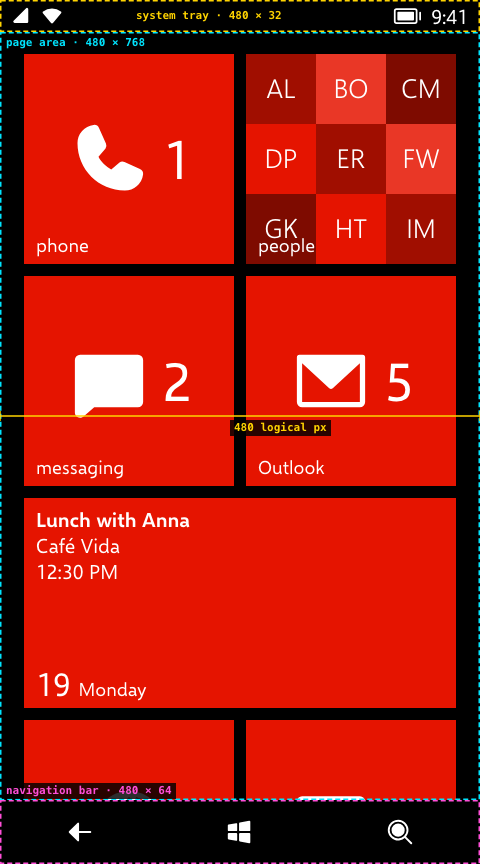
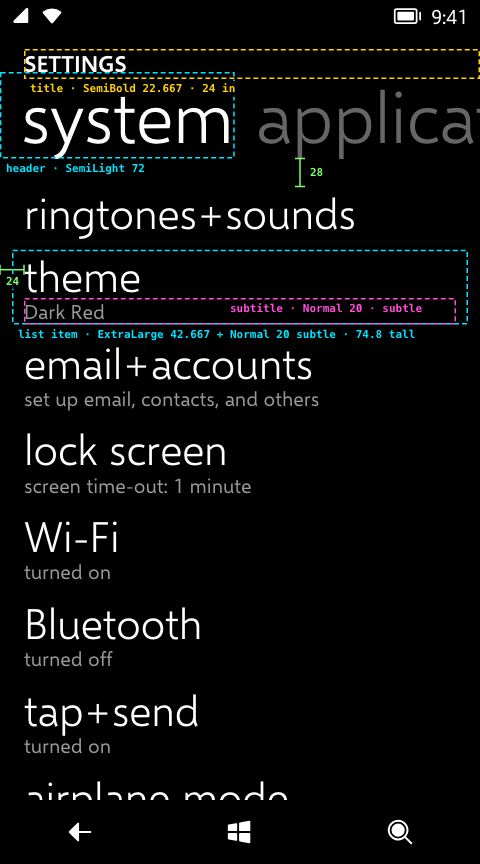
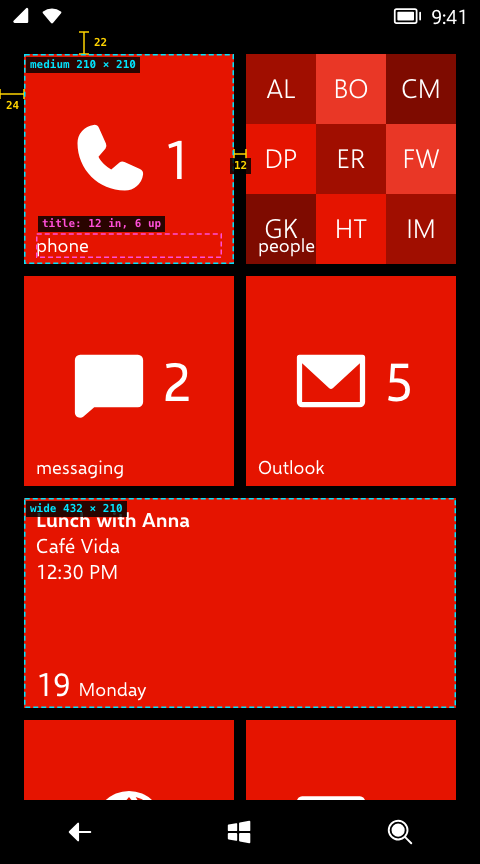
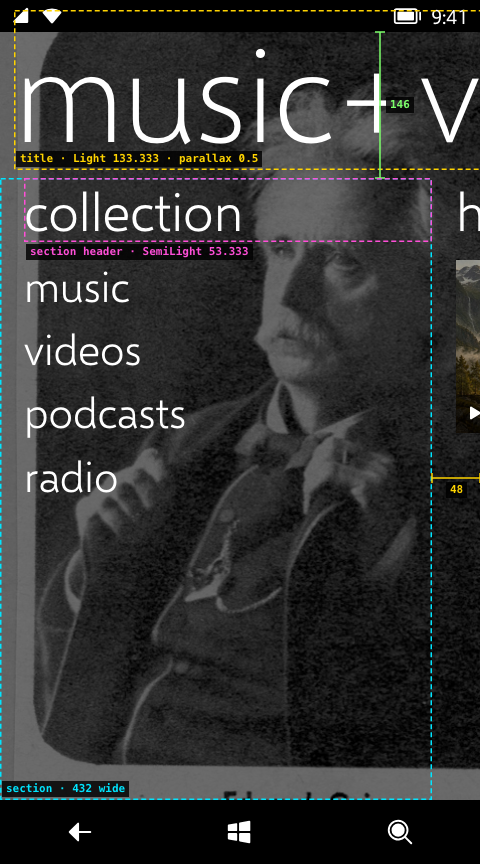
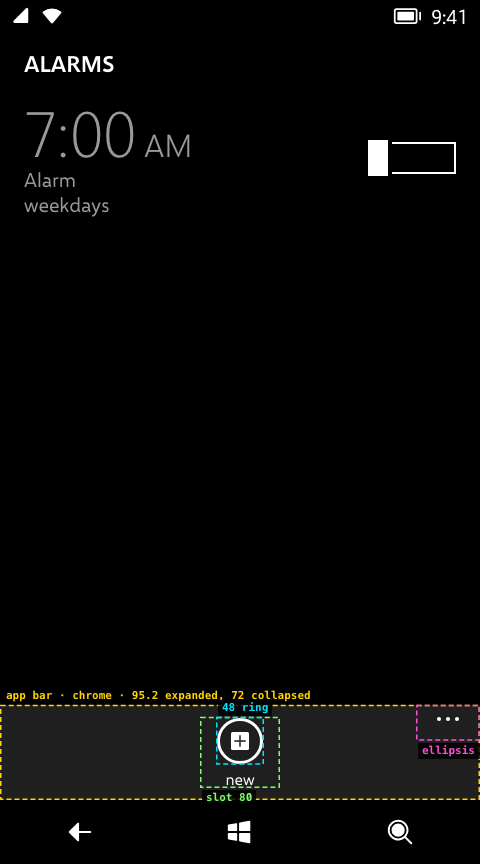
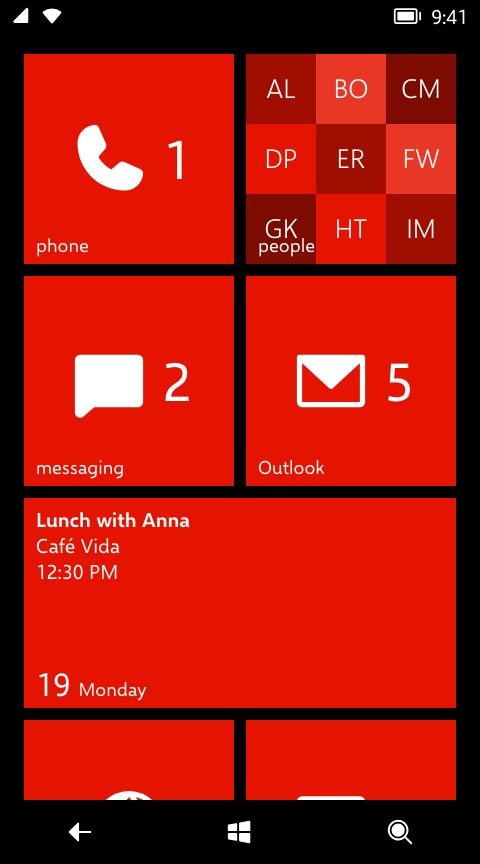
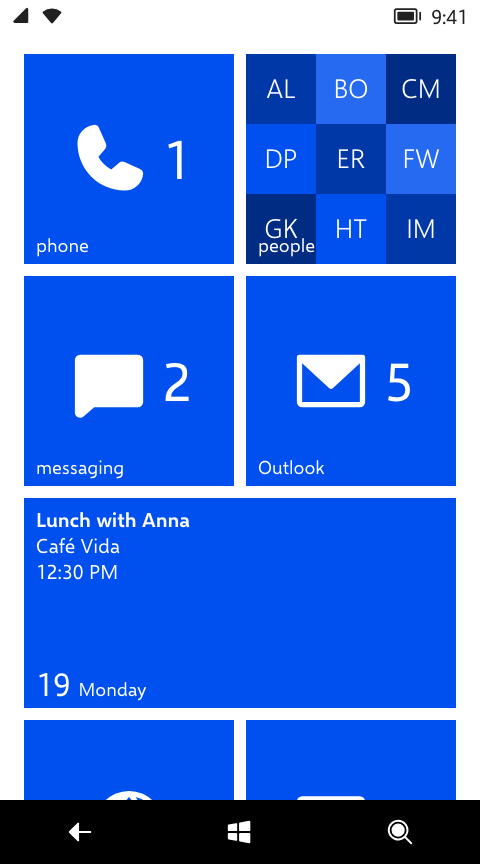
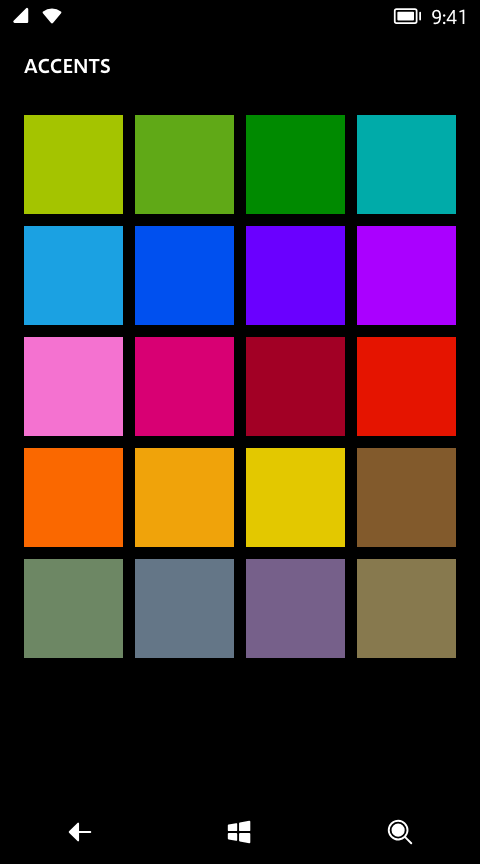
# metroweb Windows Phone 8's Metro design for React: the pivot, the panorama, toggle switches, pickers, the app bar and message boxes; the turnstile, feather and continuum page transitions and the tilt on press; the type ramp, the light and dark themes and the 20 accents. The values come from the phone wherever they could: its theme files and compiled markup, the Windows Phone Toolkit's source, and frame-by-frame measurements of real phones. - **See it:** [wp8.vercel.app](https://wp8.vercel.app) is a whole phone built with it. - **The spec:** [wp8.vercel.app/design](https://wp8.vercel.app/design.md) says what each component does, which value the code uses and how sure we are of it, with live demos. - **Start an app:** copy the [starter template](https://github.com/ImperialBebek/metroweb/tree/main/templates/starter). - **With a coding agent:** `npx skills add ImperialBebek/metroweb` installs the metro-ui skill: the steps, the rules and a checker for them. The docs are Markdown too, listed at [wp8.vercel.app/llms.txt](https://wp8.vercel.app/llms.txt). ## Install ```sh npm install metroweb ``` It needs React 19 (`react` and `react-dom` are peer dependencies) and a bundler that imports CSS, such as Vite. The package is ES modules with TypeScript types. ## Quick start ```tsx // main.tsx import { createRoot } from 'react-dom/client' import 'metroweb/styles.css' import { App } from './App' createRoot(document.getElementById('root')!).render() ``` ```tsx // App.tsx import { useState } from 'react' import { ListItem, Paragraph, PhoneFrame, Pivot, SettingsPage, ToggleSwitch, useNavigation } from 'metroweb' function Home() { const { navigate } = useNavigation() return ( navigate('sync')} /> ), }, { key: 'about', header: 'about', content: Built with metroweb. }, ]} /> ) } function Sync() { const [on, setOn] = useState(true) return ( ) } export function App() { return (route === 'sync' ? : )} /> } ``` `PhoneFrame` is the root of an app, as `PhoneApplicationFrame` is on the phone. It fills its container (`styles.css` makes `html`, `body` and `#root` full height), draws the phone's 480 px logical screen, scaled down when the container is narrower, and holds the page stack, the layer that popups open in, and the navigation bar. Escape, and Backspace outside a text field, work as the Back key. ## Pages and navigation - `render(route)` returns the page for a route. Routes are strings your app parses itself, such as `'note:42'`. - In a page, `useNavigation()` gives `navigate(route)`, `back()` and `registerBackHandler(handler)`. Back on the first page does nothing unless you pass `onExit`. - Pages under the top one stay mounted and hidden, so Back returns to a page as it was left: its scroll position, pivot item and state. - Pages use the feather transition: a page's `data-feather` elements (list items, paragraphs and the titles already are) turn in and out one after another from the top, with the tapped item leaving last. Pass `transition="turnstile"` to turn whole pages both ways instead. The [authoring contract](https://wp8.vercel.app/design/navigation.md#authoring-contract) lists the attributes, including continuum and `data-drop-out`. A page with an app bar is an `.app-page`, with its content in an `.app-page-body` and the `AppBar` last: ```tsx function NotePage({ onDelete }: { onDelete: () => void }) { const { back, navigate } = useNavigation() const [confirming, setConfirming] = useState(false) return (
Milk, eggs, coffee.
setConfirming(true) }]} menu={[{ label: 'rename', onTap: () => navigate('rename') }]} /> {confirming && ( { onDelete() back() }, }, { label: 'cancel' }, ]} onDismissed={() => setConfirming(false)} /> )}
) } ``` The message box, the pickers and the expanded app bar register for Back themselves, so Back closes them before it leaves the page. ## Components | Export | What it is | On the phone | |---|---|---| | `PhoneFrame` | The app's root: the screen, page stack, popup layer and navigation bar | `PhoneApplicationFrame` | | `PageStack`, `useNavigation` | The page stack on its own, for a shell of your own | `NavigationService` | | `NavigationBar` | The Back, Start and Search keys | 8.1 on-screen navigation bar | | `Pivot` | Pages under one title, switched by swiping or tapping the headers | UIX `Pivot` | | `SettingsPage` | A single-page pivot: the app's title and one page header | UIX `SinglePivotPage` | | `Panorama` | Wide sections under a big title and a background picture, both moving slower than the sections; wraps after the last | UIX `Panorama` | | `ListItem` | A list row with a title and an optional subtitle; put rows in a `.list` | UIX `DoubleLineListItem` | | `Paragraph` | Body text, normal or subtle | `PhoneTextNormalStyle` | | `Button` | The outlined button | `PhoneButtonBase` | | `ToggleSwitch` | An on/off switch under a header | Toolkit `ToggleSwitch` | | `ListPicker` | One choice from a short list; expands in place, or opens a full-mode picker | Toolkit `ListPicker` | | `AccentPicker` | The full-mode grid of the 20 accents | Settings' theme page | | `DatePicker`, `TimePicker` | A field that opens full-screen spinning columns | Toolkit `DatePicker`, `TimePicker` | | `LoopingSelector` | One spinning column, for pickers of your own | Toolkit `LoopingSelector` | | `TextBox` | A single- or multi-line text field with a header | `PhoneTextBox` | | `AppBar` | Up to four round buttons, the ellipsis and a menu | Shell `ApplicationBar` | | `MessageBox` | A caption, a message and one or two buttons over a dimmed screen | Shell `MessageBox` | | `FullScreenPopup` | A page that swivels in over the current one; close it from inside with `usePopupClose()` | Toolkit full-mode picker page | | `useTilt` | The tilt for anything pressable | Toolkit `TiltEffect` | | `PhIcon`, `ph`, `GLYPHS` | Phosphor icons standing in for the phone's glyphs; `GLYPHS` names the app bar's | | The props are in the TypeScript types. The [components page](https://wp8.vercel.app/design/components.md) has each one's metrics, states and behaviour, with live demos. ## Theme `PhoneFrame` takes `background` (`'dark'` or `'light'`) and `accent`, an index into `ACCENTS`, the phone's 20 accents in its own order. The defaults are the emulator's: dark, and red (`DEFAULT_ACCENT`, 11). It sets the theme's colours on its root as CSS variables, which your styles should use rather than hex values: - `--wp-foreground`, `--wp-background`, `--wp-subtle`, `--wp-disabled`, `--wp-chrome`, `--wp-border`, and the rest of the phone's `Phone*Brush` resources. - `--wp-accent`, with `--wp-button-base-pressed-foreground` for text on it. `tokens.css` adds the type and spacing tokens on `:root`: the font families `--font-light`, `--font-semilight`, `--font-normal` and `--font-semibold`, the type ramp from `--size-small` (18.667 px) to `--size-extra-extra-large` (72 px), and `--wp-margin`, the 12 px unit the layout is built on. For a shell of your own, `themeVariables(background, accent)` returns the colour variables as an object for a `style` attribute. ## Keeping it Metro The [design docs](https://wp8.vercel.app/design.md) are the full spec. The short version: - **Lower case** for titles, page and pivot headers, list items, buttons and app bar labels; sentence case for message box captions and messages. Use the phone's own words where it has them. See [Writing](https://wp8.vercel.app/design/writing.md). - **Colour from the variables.** One accent, used sparingly; everything else is foreground, subtle or chrome. - **The grid.** Space in multiples of `--wp-margin`, and use the type ramp's sizes and the four weights. - **Anything pressable is a `button` with `useTilt`.** `useTilt(onTap)` fires on release; handle Enter and Space with `onClick={(e) => { if (e.detail === 0) onTap() }}`. - **Back closes things.** Don't draw back or close buttons on pages; register a back handler for anything Back should close, and put cancel in the app bar of forms and pickers. - **Motion from the package.** Use the easings and transitions it exports (`EXPO_OUT_6`, `turnstile`, `swivel` and the rest), and skip animations when `prefersReducedMotion()` is true. The components already do. ## Styles `metroweb/styles.css` is four files in this order, and each can be imported on its own: | Import | What it holds | |---|---| | `metroweb/fonts.css` | `@font-face` rules for the four weights of Metroweb Sans (Segoe WP or Segoe UI when installed) | | `metroweb/tokens.css` | The type and spacing variables on `:root` | | `metroweb/base.css` | Page-wide rules: border-box sizing, a full-height page that doesn't scroll, unstyled buttons and the dashed accent focus ring | | `metroweb/components.css` | The components' own classes | To put an app inside a page that has other content, import the fonts, tokens and components without `base.css`, and give the `PhoneFrame`'s container a height. `PhoneFrame` renders an empty frame on the server and draws the screen once it has measured its container. ## Fonts and icons Text is set in Metroweb Sans: [Selawik](https://github.com/microsoft/Selawik), Microsoft's open-source metric match for Segoe UI, modified and renamed as its licence requires. Icons are a set of [Phosphor](https://phosphoricons.com) glyphs; an app bar button also takes an SVG fragment on its 48-unit grid. None of the phone's own fonts, icons, sounds or images are in the package. ## Licences metroweb is under the [MIT License](https://github.com/ImperialBebek/metroweb/blob/main/packages/metroweb/LICENSE). Metroweb Sans is under the SIL Open Font License, Phosphor under the MIT License, and `useTilt` is a port of the Windows Phone Toolkit's `TiltEffect` (Microsoft Public License). [`THIRD-PARTY-NOTICES.md`](https://github.com/ImperialBebek/metroweb/blob/main/packages/metroweb/THIRD-PARTY-NOTICES.md) has the details. metroweb is an independent fan project. It is not affiliated with, endorsed by or sponsored by Microsoft. Windows and Windows Phone are trademarks of the Microsoft group of companies. --- # Metro design system How this recreation of Windows Phone 8 looks, moves and behaves, and where each rule lives in the code. It is written first for people building on the recreation or with the `metroweb` package, but every page should read fine without the code open. > **Status** Draft · **Baseline** Windows Phone 8.0, with 8.1 where noted · **Last reviewed** 2026-10-19 > **Code** [`packages/metroweb/`](https://github.com/ImperialBebek/metroweb/tree/main/packages/metroweb) (the package) and [`apps/web/`](https://github.com/ImperialBebek/metroweb/tree/main/apps/web) (the phone and this site) · **Evidence** [`docs/evidence/`](https://github.com/ImperialBebek/metroweb/blob/main/docs/evidence/README.md) (tools and measurements; the Microsoft files are kept private) ## Sections 1. [Principles](https://wp8.vercel.app/design/principles.md): where Metro comes from, what it is for, how to check a screen against it, and the rules this project adds. 2. [Canvas](https://wp8.vercel.app/design/canvas.md): the 480 px logical screen, its regions, scaling and safe areas. 3. [Layout](https://wp8.vercel.app/design/layout.md): the 12 px grid, margins and component metrics. 4. [Typography](https://wp8.vercel.app/design/typography.md): Segoe WP, the type ramp and text styles. 5. [Colour and theme](https://wp8.vercel.app/design/colour-and-theme.md): light and dark palettes and the 20 accents. 6. [Iconography](https://wp8.vercel.app/design/iconography.md): glyph sizes, rings and the Phosphor substitute. 7. [Motion](https://wp8.vercel.app/design/motion.md): turnstile, feather, continuum, hub intro, tilt, live tile flips. 8. [Navigation model](https://wp8.vercel.app/design/navigation.md): Start, apps, page stacks, Back and Start. 9. [Components](https://wp8.vercel.app/design/components.md): pivot, panorama, lists, toggles, pickers, app bar, message box. 10. [Start and live tiles](https://wp8.vercel.app/design/start-and-live-tiles.md): the tile grid, templates and live behaviour. 11. [System UI](https://wp8.vercel.app/design/system-ui.md): system tray, navigation bar, volume band, desk controls. 12. [Writing](https://wp8.vercel.app/design/writing.md): casing, voice, dates and times. 13. [Web and accessibility deviations](https://wp8.vercel.app/design/web-and-accessibility.md): where the recreation departs from the phone, and why. 14. [Evidence appendix](https://wp8.vercel.app/design/evidence.md): sources, open questions and what still needs a device. ## How to read these pages Each page starts with a header block like the one above: its status, which version of the phone it follows, the code it describes, and when it was last checked. Values are given with their Microsoft name when one exists (`PhoneFontSizeLarge`, `PivotItemMargin`), the value, the CSS variable or file that holds it in the recreation, and a source label. ### Source labels Every value carries one of five labels, so you can tell how much to trust it. | Label | Meaning | |---|---| | **Decoded** | Read from the Windows Phone 8 emulator image: theme XAML, the registry, string tables, app manifests, or compiled UIX markup decoded with the tools in [`docs/evidence/uix/tools`](https://github.com/ImperialBebek/metroweb/tree/main/docs/evidence/uix/tools). | | **Toolkit** | Taken from Microsoft's published Windows Phone Toolkit source (Silverlight). | | **Fitted** | Measured frame by frame from recordings of real phones, usually with a curve fitted to the samples. | | **Estimated** | Matched by eye against footage or screenshots, or chosen by us where no source exists. | | **Verified** | Checked on a real device. Nothing has this label yet; see [what still needs a device](https://wp8.vercel.app/design/evidence.md#what-still-needs-a-device). | ### Settled and provisional Where Windows Phone 8.0 and 8.1 differ, or where only 8.1 footage was available, the [version baseline](#version-baseline) below marks each choice **Settled** (we know what the phone does and chose deliberately) or **Provisional** (the best we can do without a device). ## Where the code lives Pages name files by their path from the root of the repository. - [`packages/metroweb/`](https://github.com/ImperialBebek/metroweb/tree/main/packages/metroweb) is the `metroweb` package, which any app can use: the tokens and styles (`styles/`), the theme, motion and page stack (`src/`), the shared components (`src/components/`), the icons (`src/icons/`) and the fonts. - [`apps/web/`](https://github.com/ImperialBebek/metroweb/tree/main/apps/web) is the phone built on it: Start, the system tray and volume band, Settings and the other apps, and this site (`src/design/`). - [`templates/starter/`](https://github.com/ImperialBebek/metroweb/tree/main/templates/starter) is a small app on the package, to copy when you start your own. - [`skills/metro-ui/`](https://github.com/ImperialBebek/metroweb/blob/main/skills/metro-ui/SKILL.md) is a skill for coding agents that build on the package: the steps, the rules, and a checker for the ones code can show. [`DESIGN.md`](https://github.com/ImperialBebek/metroweb/blob/main/DESIGN.md) gives the tokens and rules in Google's DESIGN.md format. ## Ground rules - **The phone wins.** When the phone's behaviour and a web convention disagree, the recreation follows the phone. Every exception is listed in [Web and accessibility deviations](https://wp8.vercel.app/design/web-and-accessibility.md). - **Microsoft names are canonical.** Tokens keep the names from `ThemeResources.xaml` and the UIX markup. The CSS variables (`--wp-*`, `--size-*`, `--font-*`) are the current implementation. Shared values use those variables; a value only one app uses stays in that app's stylesheet and is listed on the page for its area. - **No Microsoft assets ship.** Fonts, icons and images from the phone stay out of the build. See [Typography](https://wp8.vercel.app/design/typography.md) and [Iconography](https://wp8.vercel.app/design/iconography.md) for the substitutes. ## Version baseline | Area | Windows Phone 8.0 | Windows Phone 8.1 | Recreation follows | Status | |---|---|---|---|---| | Back, Start, Search | Hardware or capacitive keys below the screen | Adds an optional on-screen navigation bar | 8.1 on-screen bar, because a browser has no hardware keys | Settled | | System tray | 32 px tray across the top | Same tray, plus Action Center on a swipe down | 8.0 tray. Tapping it opens the volume band; there is no Action Center | Settled | | Start | Four small-tile columns of solid accent tiles | Adds a six-column option and a Start background picture | 8.0 | Settled | | App list | Search button and a list sorted by name | Search box and more sorting and grouping options | 8.0 style list; letter groups are not implemented | Settled | | Accent colours | 20 accents from the registry | Same set (not checked against an 8.1 image) | 8.0 registry values | Settled | | Typography | Segoe WP | Segoe WP | 8.0 theme resources | Settled | | Page transitions | Turnstile, feather and continuum | Same family | Native turnstile and Start feather decoded from `ANIMATIONS.UIX` and `STYLES.UIX` and checked against 240 fps 8.1 footage; Toolkit timings for Silverlight-style stacks | Settled | | Hub intro | Panorama swings in while layers slide | Same family | Fitted to 8.0 (Games hub) and 8.1 (Office hub) footage | Provisional | | Pivot | Swipe or tap headers | Same | 8.0 behaviour; content cascade estimated from 8.1 footage | Provisional | | Live tiles | Flip, cycle, people and calendar templates | Adds transparent tiles over a background | 8.0, decoded from `ShellControls.dll` | Settled | | Music | One Music+Videos hub | Separate Xbox Music and Video apps | 8.0 | Settled | | Volume | One volume band, 0 to 30, with media controls | Ringer and media volumes split | 8.0 | Settled | | Settings | 8.0 item list and order | Adds and regroups items (for example notifications+actions) | 8.0 registry order | Settled | ## Keeping these pages current - When you change a documented value, update its row here in the same change, including the source label. - Screenshots, measurement diagrams and motion strips are generated. Run `npm run docs:assets` (or one group: `npm run docs:assets -- strips`) after a visual change. See [`apps/web/scripts/docs-assets.mjs`](https://github.com/ImperialBebek/metroweb/blob/main/apps/web/scripts/docs-assets.mjs). - These pages are also published as a site at [`/design`](https://wp8.vercel.app/design.md), built from this folder by [`apps/web/scripts/design-docs.ts`](https://github.com/ImperialBebek/metroweb/blob/main/apps/web/scripts/design-docs.ts) during `npm run dev` and `npm run build`. Links between pages and to their headings become site links, and the build warns about any that don't resolve. Links outside `docs/design` (to the code or the evidence) are published as plain text, and only images in `assets/` are published. - Each page is also published as Markdown at its route plus `.md` (`/design/motion.md`), listed in [`/llms.txt`](https://wp8.vercel.app/llms.txt) and joined with the package README in `/llms-full.txt`. Their links are absolute: pages to their `.md`, the code to GitHub. - `DESIGN.md` and the metro-ui skill restate tokens and rules from these pages. Change them with the page. - A `` comment on its own line puts a live component at that spot on the site, in a phone frame that follows the site's theme and accent switches. The demos are in [`apps/web/src/design/demos.tsx`](https://github.com/ImperialBebek/metroweb/blob/main/apps/web/src/design/demos.tsx); a name with no demo renders nothing and logs a warning in the dev server. --- # 01 · Principles > **Status** Draft · **Baseline** 8.0 · **Last reviewed** 2026-10-19 > **Code** the whole of [`packages/metroweb/`](https://github.com/ImperialBebek/metroweb/tree/main/packages/metroweb) and [`apps/web/`](https://github.com/ImperialBebek/metroweb/tree/main/apps/web) · **Sources** Microsoft's Metro design language as shipped on the phone Metro is a small set of strong ideas. These are the ones the recreation depends on, each with what it means in this codebase. ## 1. Content is the interface There are no borders, shadows, gradients or rounded corners around content. Text, pictures and solid colour are the interface. Chrome only appears where the system needs it: the system tray, the app bar, message boxes and the volume band, all painted in `PhoneChromeColor`. *In code:* new components should not add decoration. If something needs to stand apart, use space (the [12 px grid](https://wp8.vercel.app/design/layout.md)) or type size, not a box. ## 2. Type does the hierarchy Big, light Segoe WP headings, lowercase labels and generous left alignment carry the structure of every screen. A pivot header is 72 px SemiLight; a list item title is 42.667 px SemiLight; body text is 20 px. *In code:* use the [type ramp](https://wp8.vercel.app/design/typography.md) sizes and the four family variables. Do not introduce new sizes without a source. ## 3. Motion explains where you are Every page change turns on a hinge at the left edge of the screen. Going forward, content swings away and the new page swings in; going back reverses it. Rows leave one after another from the top, and the item you tapped leaves last, so your eye follows it into the next page. *In code:* pages use the [feathered turnstile](https://wp8.vercel.app/design/motion.md#turnstile-feather) through `PageStack`. Mark rows with `data-feather` and the tapped label with `data-continuum` (see [Navigation model](https://wp8.vercel.app/design/navigation.md#authoring-contract)). ## 4. Personal and flat Tiles are flat squares in the user's accent colour. Changing the accent recolours Start, toggles, selections and pressed states at once. White text sits on accent colour regardless of the theme. *In code:* use `var(--wp-accent)` for anything that should follow the accent. Never hard-code an accent hex. ## 5. Alive in motion Live tiles flip and cycle on their own, at random intervals, so Start never looks frozen but never moves in lockstep either. *In code:* live behaviour only runs while Start is visible, never on small tiles, and never under reduced motion. See [Start and live tiles](https://wp8.vercel.app/design/start-and-live-tiles.md). ## 6. Touch first Everything responds to the finger. Pressed items tilt toward the touch point and sink in. Lists scroll vertically; pivots, panoramas and Start pan horizontally. Taps that drift more than a few pixels become pans instead. *In code:* interactive items use `useTilt`. Gestures lock to one axis after 14 px. ## Rules this project adds These are not Metro rules; they keep the recreation honest. 1. **Source everything.** A value comes from Microsoft material when we have it, and says where it came from in a code comment and in these docs, with a [source label](https://wp8.vercel.app/design.md#source-labels). 2. **The phone wins.** When phone behaviour and web convention disagree, follow the phone and add the exception to [the deviations list](https://wp8.vercel.app/design/web-and-accessibility.md). 3. **One logical screen.** Everything is laid out at the phone's 480 px logical width and scaled as a whole. See [Canvas](https://wp8.vercel.app/design/canvas.md). 4. **No Microsoft assets in the build.** Fonts, icons and images are substituted with openly licensed equivalents. --- # 02 · Canvas > **Status** Draft · **Baseline** 8.0 screen, 8.1 navigation bar · **Last reviewed** 2026-10-19 > **Code** [`apps/web/src/App.tsx`](https://github.com/ImperialBebek/metroweb/blob/main/apps/web/src/App.tsx) (`useViewport`, `safeInsets`), [`apps/web/src/index.css`](https://github.com/ImperialBebek/metroweb/blob/main/apps/web/src/index.css) (`.desk`), [`packages/metroweb/styles/components.css`](https://github.com/ImperialBebek/metroweb/blob/main/packages/metroweb/styles/components.css) (`.screen`, `.page-stack`, `.popup-layer`), [`packages/metroweb/src/components/PhoneFrame.tsx`](https://github.com/ImperialBebek/metroweb/blob/main/packages/metroweb/src/components/PhoneFrame.tsx) > **Sources** Windows Phone 8 logical resolution; emulator screenshots ## The logical screen Windows Phone 8 lays every app out at a logical width of **480 px** and scales it to the panel (WVGA 480 × 800, WXGA 768 × 1280, 720p and 1080p). The recreation does the same: the whole screen is a 480 px wide element, scaled down with `transform: scale()` on viewports narrower than 480 px. - **Width** is always 480 logical px. - **Height** follows the viewport: the visible height, less any safe-area insets, divided by the scale. - On wider viewports the screen sits in a centred column on the "desk", which is painted in the theme background. An app built on the package gets the same screen from `PhoneFrame`, scaled to fit its container instead of the viewport. It has no system tray and leaves safe areas to the page around it. ![The screen's regions: system tray, page area and navigation bar](https://raw.githubusercontent.com/ImperialBebek/metroweb/main/docs/design/assets/diagrams/canvas.png) *Measured from the running app at a 480 × 864 viewport, which gives a WVGA-sized 768 px page area.* ## Regions | Region | Size | Variable | Source | |---|---|---|---| | System tray | 480 × 32 | `--tray-height` (0 in a home-screen web app) | Estimated, matches emulator screenshots | | Page area | 480 × the rest | `.page-stack`, `.start`, `.popup-layer` all use `inset: var(--tray-height) 0 var(--nav-height)` | — | | Navigation bar | 480 × 64 | `--nav-height` | Estimated, from WP8.1 footage | The page area is the only space apps draw in. The tray and navigation bar belong to the system ([System UI](https://wp8.vercel.app/design/system-ui.md)). ## Stacking order | Layer | `z-index` | Notes | |---|---|---| | Start and app pages | auto | Start is hidden (not unmounted) while an app runs. | | Popup layer | 2 | Full-screen pickers and message boxes portal here, over the current page. | | System tray | 3 | | | Navigation bar | 4 | | | Volume band | 6 | Drops over everything, including the tray. | | Desk controls | 10 | Motion speed dial and volume keys, outside the screen. | ## Scaling, viewport height and safe areas - `useViewport()` recomputes on `resize` and `visualViewport` resize. - The visible height is `max(innerHeight, documentElement.clientHeight)`. iOS home-screen apps can report a short `innerHeight`, so the larger of the two wins. - `.desk` is `position: fixed` at the top with an explicit height, so the browser can't scroll the page under the screen. - Safe-area insets (`env(safe-area-inset-top/bottom)`) are measured once per resize with a hidden probe element. The screen is pushed down by the top inset and shortened by both. Black strips fill the insets, extending the navigation bar at the bottom. - `index.html` asks iOS for an opaque `black` status bar. With `black-translucent`, iOS made the page a status bar shorter than the display and left a band the page couldn't draw into. ### Home-screen web apps When launched from the home screen (`display-mode: standalone` or `navigator.standalone`), the device's own status bar is always visible, so the phone's system tray is left out and `--tray-height` becomes `0px`. Tapping the top safe-area strip stands in for tapping the tray. ## Rules - Lay out in logical px at 480 wide. Never use viewport units inside the screen. - Apps get the page area only. Do not position anything under the tray or navigation bar. - Use `overflow: clip`, not `hidden`, on the screen and anything that holds perspective transforms. `hidden` lets focus or `scrollIntoView` scroll the screen itself. --- # 03 · Layout > **Status** Draft · **Baseline** 8.0 · **Last reviewed** 2026-10-19 > **Code** [`packages/metroweb/styles/tokens.css`](https://github.com/ImperialBebek/metroweb/blob/main/packages/metroweb/styles/tokens.css), [`packages/metroweb/styles/components.css`](https://github.com/ImperialBebek/metroweb/blob/main/packages/metroweb/styles/components.css), [`packages/metroweb/src/components/AppBar.tsx`](https://github.com/ImperialBebek/metroweb/blob/main/packages/metroweb/src/components/AppBar.tsx) > **Sources** `0100_ThemeResources.xaml` and `System.Windows.xaml` (copied to `docs/evidence/private/theme`, kept private); emulator screenshots ## The 12 px grid Windows Phone spaces everything in multiples of 12 logical px. Text starts **24 px** from the screen's left edge almost everywhere: a 12 px page margin plus a 12 px item margin. | Microsoft name | Value | In the recreation | Source | |---|---|---|---| | `PhoneMargin` | 12 | `--wp-margin`: the side margin of text blocks (paragraphs, headers above controls, toggle rows, message box text, panorama sections) | Decoded | | `PhoneHorizontalMargin` | 12, 0 | `--wp-margin` on each side (`.paragraph`, `.toggle-row`) | Decoded | | `PhoneVerticalMargin` | 0, 12 | `--wp-margin` above and below; not used yet | Decoded | | `PhoneTouchTargetOverhang` | 12 | `--wp-touch-target-overhang`: the margin around touch targets (list items, buttons, text boxes, list picker and date boxes, message box buttons) | Decoded | | `PhoneTouchTargetLargeOverhang` | 12, 20 | not used yet | Decoded | | `PivotItemMargin` | 12, 28, 12, 0 | `.pivot-item { inset: 28px 12px 0 }` | Decoded | | `PhoneBorderThickness` | 3 | `--wp-border-thickness`: every 3 px border (buttons, message boxes, text boxes, check boxes, the looping selector) | Decoded | | `PhoneStrokeThickness` | 3 | `--wp-stroke-thickness`: the ring on app bar buttons, the Start arrow, app list search and the Messaging contact button, and the Camera buttons and shutter | Decoded | | `PhoneTextBoxInnerMargin` | 1, 2 | Part of the `.textbox` padding, 4 px 3 px: the template's `Padding` 2 inside this margin | Decoded | The variables live in `:root` in `packages/metroweb/styles/tokens.css`. Use one when a value means that resource. A 12 px that is its own measurement (the gap between tiles, the tile title inset) stays a literal. ## Pages ![Pivot page measurements](https://raw.githubusercontent.com/ImperialBebek/metroweb/main/docs/design/assets/diagrams/pivot.png) | Element | Value | Source | |---|---|---| | Pivot title | 17 px from the top of the page area, 24 px from the left | Estimated | | Pivot headers | 21 px left padding, so the 72 px glyphs' side bearing lines up near 24 px | Estimated | | Pivot item | 28 px below the headers, 12 px side margins | Decoded (`PivotItemMargin`) | | List item | 12 px side padding, 12 px between items | Decoded (`PhoneTouchTargetOverhang`) | | Paragraph | 12 px sides, 24 px below | Estimated | | Toggle row | 72 px tall | Estimated | | List picker | 24 px below, 44 px rows | Estimated | | End of a scrolling page | 36 px bottom padding | Estimated | ## Start ![Start tile grid measurements](https://raw.githubusercontent.com/ImperialBebek/metroweb/main/docs/design/assets/diagrams/tiles.png) | Element | Value | Source | |---|---|---| | Pane | 480 wide, padding 22 top, 24 sides, 48 bottom | Estimated | | Grid | 4 columns of 99 px cells, 12 px gaps | Estimated, matches Microsoft's published WXGA tile sizes (159, 336, 691 px) scaled by 0.625 | | Small tile | 99 × 99 (1 × 1 cell) | as above | | Medium tile | 210 × 210 (2 × 2) | as above | | Wide tile | 432 × 210 (4 × 2) | as above | | Tile title | 12 px from the left, 6 px from the bottom | Estimated | | App list icon | 62 × 62 accent square, 12 px gap to the title | Estimated; `StartAssets480x800` holds a 62, 62 constant (Decoded, unattributed) | See [Start and live tiles](https://wp8.vercel.app/design/start-and-live-tiles.md) for the layout itself. ## Panorama ![Panorama measurements](https://raw.githubusercontent.com/ImperialBebek/metroweb/main/docs/design/assets/diagrams/panorama.png) | Element | Value | Source | |---|---|---| | Section | 432 px wide, so the next section's header peeks in 48 px | Estimated | | Section top | 146 px below the top of the page area | Estimated | | Title | Light 133.333 px, 14 px from the left, 22 px above the top | Estimated | | Section header | 12 px in, 18 px above the content | Estimated | | Parallax | title moves 0.5 × its width across all sections; background moves 160 px | Estimated | ## App bar ![App bar measurements](https://raw.githubusercontent.com/ImperialBebek/metroweb/main/docs/design/assets/diagrams/app-bar.png) | Element | Value | Source | |---|---|---| | Height | 72 collapsed, 30 minimized; grows upward when expanded | Estimated | | Buttons | up to four, each an 80 px slot with a 48 px ring, centred, 12 px top and bottom padding, 64 px side padding | Estimated | | Ellipsis | 64 × 36 target in the top-right corner, three 4 px dots 5 px apart | Estimated | | Menu items | 9 px × 24 px padding, MediumLarge text | Estimated | ## Gestures | Value | Where | Source | |---|---|---| | 12 px | Tap slop: a press that moves further becomes a pan and the tilt releases | Estimated | | 14 px | Axis lock for pivot, panorama and Start pans | Estimated | | 25% / 20% of the width | Pivot / panorama commit distance | Estimated | | 120 px | Start pane commit distance | Estimated | | 0.45 px/ms | Flick velocity that commits a pan regardless of distance | Estimated | --- # 04 · Typography > **Status** Draft · **Baseline** 8.0 · **Last reviewed** 2026-10-19 > **Code** [`packages/metroweb/styles/fonts.css`](https://github.com/ImperialBebek/metroweb/blob/main/packages/metroweb/styles/fonts.css) (`@font-face`), [`packages/metroweb/styles/tokens.css`](https://github.com/ImperialBebek/metroweb/blob/main/packages/metroweb/styles/tokens.css) (`--font-*`, `--size-*`), [`packages/metroweb/fonts/`](https://github.com/ImperialBebek/metroweb/tree/main/packages/metroweb/fonts) > **Sources** `ThemeResources.xaml` (copied to `docs/evidence/private/theme`, kept private); Selawik (SIL Open Font License) Windows Phone 8 sets everything in **Segoe WP**, in four weights, on a ramp of eight sizes. Hierarchy comes from size and weight, never from colour blocks or rules. ## Families Each weight is its own family, as in `ThemeResources.xaml`, so components pick a weight by family name rather than `font-weight`. | Microsoft name | Phone font | CSS variable | Recreation family | Source | |---|---|---|---|---| | `PhoneFontFamilyLight` | Segoe WP Light | `--font-light` | `WP Light` | Decoded | | `PhoneFontFamilySemiLight` | Segoe WP SemiLight | `--font-semilight` | `WP SemiLight` | Decoded | | `PhoneFontFamilyNormal` | Segoe WP | `--font-normal` | `WP Normal` | Decoded | | `PhoneFontFamilySemiBold` | Segoe WP Semibold | `--font-semibold` | `WP SemiBold` | Decoded | | `PhoneFontFamilyBold` | Segoe WP Bold | not defined | — | Decoded, unused | Each `WP *` family loads, in order: 1. `Segoe WP *`, if the visitor has it installed. 2. `Segoe UI *`, which Windows has. 3. **Selawik**, from `packages/metroweb/fonts/`. Selawik is Microsoft's open-source (OFL) font made to match Segoe UI's metrics, so line lengths and wrapping come out close even where the letterforms differ. Selawik's composite glyphs (accented letters, the ellipsis) were flattened to plain outlines with fontTools, because Chrome drew only the first component of each from the original woff2 files. Because of that change, the OFL doesn't let the files keep the name Selawik, so their file names and name tables call them Metroweb Sans; the CSS families are unaffected. If you replace the font files, flatten and rename them again. Segoe WP itself is never shipped. The screenshots in these docs were generated on macOS, so they show Selawik. ## Type ramp All sizes are logical px at the 480 px [canvas](https://wp8.vercel.app/design/canvas.md). Microsoft specified them in points; px = pt × 4 ÷ 3. | Microsoft name | px | pt | CSS variable | Typical use | Source | |---|---|---|---|---|---| | `PhoneFontSizeSmall` | 18.667 | 14 | `--size-small` | Tile titles | Decoded | | `PhoneFontSizeNormal` | 20 | 15 | `--size-normal` | Body text, subtitles, headers above controls | Decoded | | `PhoneFontSizeMedium` | 22.667 | 17 | `--size-medium` | Pivot title, buttons, volume band labels | Decoded | | `PhoneFontSizeMediumLarge` | 25.333 | 19 | `--size-medium-large` | App list titles, picker rows, text boxes, app bar menu | Decoded | | `PhoneFontSizeLarge` | 32 | 24 | `--size-large` | Toggle state, message box captions | Decoded | | `PhoneFontSizeExtraLarge` | 42.667 | 32 | `--size-extra-large` | List item titles | Decoded | | `PhoneFontSizeExtraExtraLarge` | 72 | 54 | `--size-extra-extra-large` | Pivot headers, page titles | Decoded | | `PhoneFontSizeHuge` | 186.667 | 140 | not defined | — | Decoded, unused | Other sizes in the theme resources: | Microsoft name | px | In the recreation | Source | |---|---|---|---| | `PivotHeaderFontSize` | 72 | `.pivot-header` uses `--size-extra-extra-large` | Decoded | | `PivotTitleFontSize` | 22.667 | `.pivot-title` uses `--size-medium` | Decoded | | `PanoramaItemHeaderFontSize` | 66 | **not followed**: `.pano-header` is 53.333 px, matched to footage of native hubs | Decoded; see [open questions](https://wp8.vercel.app/design/evidence.md#open-questions) | | `PanoramaItemCharacterSpacing` | −35 (thousandths of an em) | not applied | Decoded | | `LongListSelectorGroupHeaderFontSize` | 29.333 | not used | Decoded | | `LongListSelectorGroupHeaderLetterTileFontSize` | 42.667 | not used: People's letter tiles are 38 px (Estimated) | Decoded | | `JumpListStringFontSize` | 26.667 | not used | Decoded | | `JumpListAlphabetFontSize` / `…SmallFontSize` | 48 / 37.333 | not used: People's jump list letters are 54 px (Estimated) | Decoded | | `EmptyListHeaderFontSize` | 32 | not used | Decoded | ## Text styles `ThemeResources.xaml` defines these styles. All start from `PhoneTextBlockBase`: Normal family, Normal size, the foreground colour, and a 12 px horizontal margin. | Microsoft style | Family | Size | Colour | Recreation | |---|---|---|---|---| | `PhoneTextNormalStyle` | Normal | 20 | foreground | `.paragraph`, `.screen` default | | `PhoneTextSubtleStyle` | Normal | 20 | subtle | `.paragraph-subtle`, `.list-item-subtitle`, `.toggle-header`, `.picker-header` | | `PhoneTextTitle1Style` | SemiLight | 72 | foreground | `.pivot-header` | | `PhoneTextTitle2Style` | SemiLight | 32 | foreground | — | | `PhoneTextTitle3Style` | SemiLight | 22.667 | foreground | — | | `PhoneTextExtraLargeStyle` | SemiLight | 42.667 | foreground | `.list-item-title` | | `PhoneTextLargeStyle` | SemiLight | 32 | foreground | `.volume-value` | | `PhoneTextGroupHeaderStyle` | SemiLight | 32 | subtle | — | | `PhoneTextSmallStyle` | Normal | 18.667 | subtle | — (tile titles use Small in white) | | `PhoneTextContrastStyle` | SemiBold | 20 | contrast foreground | — | | `PhoneTextAccentStyle` | SemiBold | 20 | accent | — (`.accent-text` is Normal weight) | | `PhoneTextHugeStyle` | Light | 186.667 | foreground | — | | `PivotTitleStyle` | SemiBold | 22.667 | foreground | `.pivot-title`, uppercased | All style values are **Decoded**. ## Text in components Sizes used by shared components that are not one of the styles above. Values off the ramp have their own `--size-*` variables in `tokens.css`. | Where | Family | Size | CSS variable | Source | |---|---|---|---|---| | Pivot title | SemiBold, uppercase | 22.667 | `--size-medium` | Decoded size; uppercase Estimated from screenshots | | Toggle state (On/Off) | Light | 32 | `--size-large` | Estimated | | Button face | SemiBold | 22.667 | `--size-medium` | Decoded (`PhoneButtonBase`) | | Text box | Normal | 25.333 | `--size-medium-large` | Decoded (`PhoneTextBox`) | | Tile title | Normal | 18.667 | `--size-small` | Estimated | | Tile count | Normal | 53.333 (26.667 on small tiles) | `--size-tile-count`, `--size-tile-count-small` | Estimated | | Calendar tile day number | Normal | 32 (42.667 on small tiles) | `--size-large`, `--size-extra-large` | Estimated | | People tile initials | SemiLight | 26.667 | `--size-tile-initials` | Estimated | | App list title | Normal | 25.333 | `--size-medium-large` | Estimated | | Panorama title | Light | 133.333 | `--size-panorama-title` | Estimated | | Panorama section header | SemiLight | 53.333 | `--size-panorama-header` | Estimated | | App bar button label | Normal, lowercase | 16 | `--size-app-bar-label` | Estimated | | App bar menu item | Normal, lowercase | 25.333 | `--size-medium-large` | Estimated | | Date and time picker item | SemiLight | 54 (secondary line Normal 20) | `--size-picker-item` (`--size-normal`) | Estimated | | Picker page title (CHOOSE TIME) | SemiBold | 20 | `--size-normal` | Estimated | | Message box caption | SemiBold | 32 | `--size-large` | Estimated | ## Line height | Where | Value | Source | |---|---|---| | Screen default | 1.33 | Estimated | | Pivot headers, list item titles, panorama text | 1.2 | Estimated | | Tile back text | 1.3 | Estimated | ## Rules - Use the four `--font-*` families and the `--size-*` variables. Don't set `font-weight`; pick the family. - Don't add a size without a source. If a component needs one, add it to the table above with its label. - Headings and labels are left-aligned. Nothing is centred except tile glyphs and picker items. - Letter case is part of the type system: see [Writing](https://wp8.vercel.app/design/writing.md). - The desk controls beside the phone (13–15 px) are outside the phone and not part of the ramp. ## App-specific sizes Sizes that only one app uses stay in that app's stylesheet. All are **Estimated**. If a second component needs one, move it to a `--size-*` variable in `tokens.css`. | App | Where | Size | |---|---|---| | Alarms | Alarm time in the list | 64 | | Alarms | Time on the ringer | 128 | | Phone | Keypad digits | 40 (30 on the in-call keypad, its letters 14) | | Phone | Caller name during a call | 54 | | People | Initials on favourites | 36 | | People | Letter tiles in the contact list | 38 | | People | Initials on group tiles | 18 | | People | Jump list letters | 54 | | Calculator | Digit keys | 36 (operators and functions 30) | | Calendar | Appointments in month cells | 12 | | Messaging | Time under a bubble | 16 | | Messaging | Character counter | 15 | | Camera | Labels on the bar | 14 | --- # 05 · Colour and theme > **Status** Draft · **Baseline** 8.0 · **Last reviewed** 2026-10-19 > **Code** [`packages/metroweb/src/theme.ts`](https://github.com/ImperialBebek/metroweb/blob/main/packages/metroweb/src/theme.ts) (`ACCENTS`, `PALETTES`, `themeVariables`), [`apps/web/src/store.tsx`](https://github.com/ImperialBebek/metroweb/blob/main/apps/web/src/store.tsx), [`apps/web/src/App.tsx`](https://github.com/ImperialBebek/metroweb/blob/main/apps/web/src/App.tsx) > **Sources** `0000_ThemeResources.xaml` (light) and `0100_ThemeResources.xaml` (dark); the image's registry (accents, defaults); `uixmobileres.dll.mui` (accent names) The user picks two things: a **background** (dark or light) and an **accent** (one of 20 colours). Everything else follows from those. ![Start in the dark theme with the Red accent](https://raw.githubusercontent.com/ImperialBebek/metroweb/main/docs/design/assets/screenshots/start-dark.png) ![Start in the light theme with the Cobalt accent](https://raw.githubusercontent.com/ImperialBebek/metroweb/main/docs/design/assets/screenshots/start-light.png) ## How the theme is applied - `themeVariables(background, accent)` turns the palette into CSS variables named after the Microsoft resources: `subtle` becomes `--wp-subtle`, `textBoxEditBackground` becomes `--wp-text-box-edit-background`. - `App` sets the variables on `.desk` and `.screen`, and `data-theme="dark|light"` on the screen. - The page background and the `theme-color` meta tag follow the background (`#000000` or `#ffffff`), so overscroll and browser chrome match. - Settings are saved in `localStorage` (`wp8-settings`). The default is **dark** with **Red**, from the emulator registry (`DefaultTheme = 1`, `DefaultAccent = 0xB`). ## Palette XAML colours are `#AARRGGBB`; the recreation converts them to `rgba()`. All values are **Decoded**. | Microsoft name | CSS variable | Dark | Light | Used for | |---|---|---|---|---| | `PhoneForegroundColor` | `--wp-foreground` | `#FFFFFFFF` | `#DE000000` | Text, glyphs, borders | | `PhoneBackgroundColor` | `--wp-background` | `#FF000000` | `#FFFFFFFF` | Page background | | `PhoneContrastForegroundColor` | `--wp-contrast-foreground` | `#FF000000` | `#FFFFFFFF` | Text on a foreground-coloured fill | | `PhoneContrastBackgroundColor` | `--wp-contrast-background` | `#FFFFFFFF` | `#DE000000` | | | `PhoneSubtleColor` | `--wp-subtle` | `#99FFFFFF` | `#66000000` | Subtitles, headers above controls | | `PhoneDisabledColor` | `--wp-disabled` | `#66FFFFFF` | `#4D000000` | Disabled text and controls | | `PhoneChromeColor` | `--wp-chrome` | `#FF1F1F1F` | `#FFDDDDDD` | App bar, volume band, message boxes | | `PhoneBorderColor` | `--wp-border` | `#BFFFFFFF` | `#99000000` | | | `PhoneSemitransparentColor` | `--wp-semitransparent` | `#AA000000` | `#AAFFFFFF` | Message box scrims | | `PhoneTextBoxColor` | `--wp-text-box` | `#BFFFFFFF` | `#26000000` | Text box fill at rest, list picker border | | `PhoneTextBoxForegroundColor` | `--wp-text-box-foreground` | `#FF000000` | `#DE000000` | Text in text boxes | | `PhoneTextBoxEditBackgroundColor` | `--wp-text-box-edit-background` | `#FFFFFFFF` | `#00000000` | Text box and open picker while editing | | `PhoneTextBoxReadOnlyColor` | `--wp-text-box-read-only` | `#77000000` | `#2E000000` | Text in a read-only text box | | `PhoneTextBoxSelectionForegroundColor` | `--wp-text-box-selection-foreground` | `#FFFFFFFF` | `#FFFFFFFF` | Selected text in a text box, on the accent | | `PhoneTextCaretColor` | `--wp-text-caret` | `#FF000000` | `#DE000000` | Text box caret | | `PhoneButtonBasePressedForegroundColor` | `--wp-button-base-pressed-foreground` | `#FFFFFFFF` | `#FFFFFFFF` | Text and glyphs on accent: pressed buttons, tiles, selected items, accent toasts and bubbles | | `PhonePivotUnselectedItemOpacity` | `--wp-pivot-unselected-opacity` | 0.4 | 0.23144 | Pivot headers that aren't selected | | `PhoneAccentColor` | `--wp-accent` | the accent | the accent | Tiles, toggles, selection, pressed states | Resources in the XAML that the recreation doesn't use yet: | Microsoft name | Dark | Light | |---|---|---| | `PhoneProgressBarBackgroundColor` | `#19FFFFFF` | `#19000000` | | `PhoneTextHighContrastColor` | `#FFFFFFFF` | `#DE000000` | | `PhoneTextMidContrastColor` | `#99FFFFFF` | `#73000000` | | `PhoneTextLowContrastColor` | `#73FFFFFF` | `#40000000` | | `PhoneInactiveColor` (deprecated) | `#33FFFFFF` | `#33000000` | | `PhoneInverseInactiveColor` (deprecated) | `#FFCCCCCC` | `#FFE5E5E5` | | `PhoneInverseBackgroundColor` (deprecated) | `#FFFFFFFF` | `#FFDDDDDD` | ## Accents Registry order, which is also the order of the accent picker grid. Names from `uixmobileres.dll.mui`. All **Decoded**. The last column is the contrast of white text on the accent, which is what tiles and pressed buttons show. | # | Name | Hex | White on accent | |---|---|---|---| | 0 | Lime | `#A4C400` | 2.00 | | 1 | Green | `#60A917` | 2.92 | | 2 | Emerald | `#008A00` | 4.53 | | 3 | Teal | `#00ABA9` | 2.84 | | 4 | Cyan | `#1BA1E2` | 2.90 | | 5 | Cobalt | `#0050EF` | 6.19 | | 6 | Indigo | `#6A00FF` | 6.87 | | 7 | Violet | `#AA00FF` | 5.06 | | 8 | Pink | `#F472D0` | 2.57 | | 9 | Magenta | `#D80073` | 5.04 | | 10 | Crimson | `#A20025` | 8.19 | | 11 | Red (default) | `#E51400` | 4.74 | | 12 | Orange | `#FA6800` | 2.98 | | 13 | Amber | `#F0A30A` | 2.11 | | 14 | Yellow | `#E3C800` | 1.68 | | 15 | Brown | `#825A2C` | 6.09 | | 16 | Olive | `#6D8764` | 3.96 | | 17 | Steel | `#647687` | 4.68 | | 18 | Mauve | `#76608A` | 5.51 | | 19 | Taupe | `#87794E` | 4.31 | ![The accent picker](https://raw.githubusercontent.com/ImperialBebek/metroweb/main/docs/design/assets/screenshots/accent-picker.png) ## Contrast of the theme colours The phone's own colours, measured against the background they sit on. They are kept as they are (the phone wins), but don't use subtle or disabled colours for anything a user must read to finish a task. See [Web and accessibility deviations](https://wp8.vercel.app/design/web-and-accessibility.md#contrast). | Pair | Dark | Light | |---|---|---| | Foreground on background | 21.0 | 16.1 (87% black) | | Subtle on background | 7.37 | 2.85 | | Disabled on background | 3.66 | 2.12 | | Unselected pivot header (foreground at the unselected opacity) | 3.66 | 1.61 | ## Rules - Anything that should follow the accent uses `var(--wp-accent)`. Never write an accent hex in a component. - Text on accent colour uses `--wp-button-base-pressed-foreground`, which is white in both themes. White that sits over a picture rather than the accent (Camera, the Photos viewer, Music+Videos over album art) and the black navigation bar are written as `#fff`. - Chrome surfaces (app bar, volume band, message boxes) use `--wp-chrome`, never the background. - Use the palette variables. If you need a colour that isn't in the XAML, derive it with `color-mix()` from a palette variable, label it Estimated, and add it below. ## Derived colours Colours the recreation mixes itself. All **Estimated**. | Where | Value | Why | |---|---|---| | People tile cells | accent mixed with 30% or 45% black, or 15% white | Contacts have no photos, so cells are shaded initials cards | | Panorama background dim | background at 55% over the picture | Keeps hub text readable over photos | | Volume slider track | `--wp-subtle` at 0.4 opacity | Matched to footage | | Text box placeholder | text box foreground at 55% | `PhoneTextBox` has no placeholder; Messaging's compose box shows one | | Music tile title | `text-shadow: 0 0 6px rgba(0,0,0,0.6)` | White title over album art | | Navigation bar and safe areas | `#000` in both themes | The 8.1 navigation bar is black | | Photos viewer info bar | black at 60% over the picture | Keeps the date and time readable over any photo | | Photos viewer app bar | `#1F1F1F` (dark chrome) at 90% | Stays dark and see-through over pictures in both themes | | Camera bar | black at 50% | Over the viewfinder | | Music+Videos over album art | black at 60% (history labels), 45% (now playing toggles), 65% (seek bar); white at 35% (seek track) | Keeps text and controls readable over any cover | Message box scrims aren't derived: [`MessageBox`](https://wp8.vercel.app/design/components.md#message-box) uses `--wp-semitransparent`. --- # 06 · Iconography > **Status** Draft · **Baseline** 8.0 · **Last reviewed** 2026-10-19 > **Code** [`packages/metroweb/src/icons/`](https://github.com/ImperialBebek/metroweb/tree/main/packages/metroweb/src/icons) (`phosphor.ts`, `PhIcon.tsx`, `ph.tsx`), [`packages/metroweb/src/components/glyphs.tsx`](https://github.com/ImperialBebek/metroweb/blob/main/packages/metroweb/src/components/glyphs.tsx), [`apps/web/src/start/icons.tsx`](https://github.com/ImperialBebek/metroweb/blob/main/apps/web/src/start/icons.tsx), [`packages/metroweb/scripts/gen-phosphor-icons.mjs`](https://github.com/ImperialBebek/metroweb/blob/main/packages/metroweb/scripts/gen-phosphor-icons.mjs) > **Sources** Phosphor Icons (MIT, [`LICENSE-phosphor.txt`](https://github.com/ImperialBebek/metroweb/blob/main/packages/metroweb/src/icons/LICENSE-phosphor.txt)); sizes Estimated from emulator screenshots Metro glyphs are flat, solid, single-colour shapes drawn on a square grid, with no outlines, gradients or perspective. The phone's own glyphs (Segoe WP symbols and the SDK's app bar icon set) can't ship, so the recreation uses **Phosphor** in its **fill** weight, which has the same solid, geometric character. ## Where icons come from - `packages/metroweb/scripts/gen-phosphor-icons.mjs` copies the path data of the icons named in its `NAMES` list from `@phosphor-icons/core` into `packages/metroweb/src/icons/phosphor.ts`. Every icon is on a 256-unit square. - Icons use the fill weight. An entry can name another weight as `icon:weight`; only two do: `star:regular` (the outline "favorite" star, so it reads differently from the filled "unfavorite" one) and `check:bold`. - `phosphor.ts` is generated. Never edit it by hand. Three ways to draw an icon: | Helper | Use for | Notes | |---|---|---| | `` | A standalone icon (system tray, navigation bar, volume band) | An `` with `fill="currentColor"`, hidden from assistive technology | | `ph(name, size, cx, cy)` | A glyph inside another SVG (app bar rings, the Start arrow) | Returns a `` centred on `cx, cy` | | `` | Tile and app list glyphs | Maps app glyph names (`phone`, `people`, `music`) to Phosphor names | To add an icon: add its Phosphor name to `NAMES` in the generator, run `npm run icons -w metroweb`, then map it in `glyphs.tsx` (app bar) or the phone's `start/icons.tsx` (tiles). Check the licence still covers it (all Phosphor icons are MIT). ## Sizes All sizes are logical px. All are **Estimated** unless noted. | Where | Glyph | Container | Notes | |---|---|---|---| | Medium and wide tiles | 84 | the tile | Centred; a count sits 12 px to the right | | Small tiles | 44 | 99 × 99 tile | Count 6 px to the right | | App list | 36 | 62 × 62 accent square | | | App bar buttons | 24 | 48 px ring, radius 21.5, 3 px stroke | Stroke from `PhoneStrokeThickness` (Decoded) | | Start arrow, app list search | 22 | 44 px ring, radius 19.5, 3 px stroke, in a 48 × 48 button | | | System tray | 20 (signal, Wi-Fi, airplane), 18 (Bluetooth), 28 (battery) | 32 px tray | | | Navigation bar | 30 | 120 × 64 button | | | Volume band | 28 (speaker) | 48 px row | | | Volume band media buttons | 44 px SVG of a 48-unit glyph | 52 px circle, 2 px border | | ## States | Where | Rest | Pressed | Disabled | |---|---|---|---| | App bar button | Foreground ring and glyph | Ring filled with foreground, glyph in chrome colour | Whole button at 0.4 opacity | | Volume band media button | Foreground ring and glyph | Filled with foreground, glyph in chrome colour | — | | Navigation bar button | White | 0.5 opacity | — | | Tile and app list glyph | White on accent | Tilts with the tile | — | ## Glyph map | App or action | Phosphor icon | |---|---| | phone, people, messaging, Outlook | `phone`, `users`, `chat`, `envelope-simple` | | calendar, Internet Explorer, Store, photos | `calendar-blank`, `globe`, `shopping-bag`, `image` | | Music+Videos, Games, settings, camera, maps | `headphones`, `game-controller`, `gear`, `camera`, `map-trifold` | | alarms, calculator, Wallet, Office, OneNote, Data Sense | `alarm`, `calculator`, `wallet`, `file-text`, `notebook`, `chart-pie-slice` | | App bar: add, check, close, delete, edit, search | `plus`, `check`, `x`, `trash`, `pencil-simple`, `magnifying-glass` | | App bar: send, refresh, favorite, pin | `paper-plane-right`, `arrow-clockwise`, `star` (regular), `push-pin` | | App bar: play, pause, previous, next, shuffle, repeat | `play`, `pause`, `skip-back`, `skip-forward`, `shuffle`, `repeat`, `repeat-once` | | Navigation bar: Back, Start, Search | `arrow-left`, `windows-logo`, `magnifying-glass` | The full list is `GLYPHS` in `glyphs.tsx` and `start/icons.tsx`. ## Rules - Glyphs are `currentColor`. They take the foreground colour, or white on accent. Never colour a glyph with the accent unless the phone does. - One weight. Use fill unless there's a reason the phone draws an outline, and note the reason in the generator. - App bar icons sit inside the ring the app bar draws. Don't draw your own ring. - Icons are decoration for assistive technology; the button carries the `aria-label`. ## Open questions - Microsoft's app bar icon guidance describes a smaller foreground area inside the 48 px icon than a strict 24 px; we haven't checked our glyph size against the SDK icon set. See [open questions](https://wp8.vercel.app/design/evidence.md#open-questions). --- # 07 · Motion > **Status** Draft · **Baseline** 8.0, with 8.1 footage where noted · **Last reviewed** 2026-10-26 > **Code** [`packages/metroweb/src/motion.ts`](https://github.com/ImperialBebek/metroweb/blob/main/packages/metroweb/src/motion.ts), [`packages/metroweb/src/pageMotion.ts`](https://github.com/ImperialBebek/metroweb/blob/main/packages/metroweb/src/pageMotion.ts), [`packages/metroweb/src/navigation.tsx`](https://github.com/ImperialBebek/metroweb/blob/main/packages/metroweb/src/navigation.tsx), [`apps/web/src/start/StartScreen.tsx`](https://github.com/ImperialBebek/metroweb/blob/main/apps/web/src/start/StartScreen.tsx), [`apps/web/src/start/tileFlip.ts`](https://github.com/ImperialBebek/metroweb/blob/main/apps/web/src/start/tileFlip.ts), [`packages/metroweb/src/components/useTilt.ts`](https://github.com/ImperialBebek/metroweb/blob/main/packages/metroweb/src/components/useTilt.ts), [`packages/metroweb/src/motionSpeed.ts`](https://github.com/ImperialBebek/metroweb/blob/main/packages/metroweb/src/motionSpeed.ts) > **Sources** Windows Phone Toolkit (`TurnstileTransition`, `SwivelTransition`, `TiltEffect`); UIX markup in `ShellControls.dll` and `UIXMobileAssets480x800.dll`; footage (see [evidence](https://github.com/ImperialBebek/metroweb/blob/main/docs/evidence/footage/README.md)) Motion in Metro is how you know where you are. Pages swing on a hinge at the left edge of the screen; content leaves in reading order; the thing you tapped leaves last and lands in the next page's title. Nothing bounces, and nothing fades without also moving. ## Easing The Toolkit storyboards use Silverlight's `ExponentialEase`. `motion.ts` samples it into a CSS `linear()` easing with 33 points, so Web Animations and CSS transitions play the same curve. | Name | Curve | Used for | Source | |---|---|---|---| | `EXPO_OUT_6` | `ExponentialEase` Exponent 6, EaseOut | Toolkit arrivals: pages, popups, app bar, pivot snap | Toolkit | | `EXPO_IN_6` | Exponent 6, EaseIn | Toolkit departures, continuum hide | Toolkit | | `EXPO_OUT_5` | Exponent 5, EaseOut | Native turnstile arrivals (`Log` weight 150, $\ln 150 \approx 5.01$), hub layer slide | Decoded, Fitted | | `EXPO_IN_5` | Exponent 5, EaseIn | Native turnstile and Start departures (`Exp` weight 150 and 100) | Decoded | | `EXPO_OUT_2` | Exponent 2, EaseOut | Start return (`Log` weight 10, $\ln 10 \approx 2.30$), hub swing | Decoded, Fitted | | `EXPO_IN_2` | Exponent 2, EaseIn | Messaging's conversation dropping away | Fitted | | `EXPO_OUT_15` | Exponent 15, EaseOut | Toggle switch thumb | Toolkit | Live tile flips use the phone's own (Iris) curves instead; see [flip motion](https://wp8.vercel.app/design/start-and-live-tiles.md#flip-motion). ## Turnstile A page or feathered row turns about a vertical hinge on or to the left of the screen, seen through a camera centred on the screen (`IntroAnimationCameraEye = Vec3(0, 0, -1000)` in `CONSTANTS.UIX`, `perspective: 1000px` on `.page-stack`, origin 50% 50%). In CSS, a positive `rotateY` pushes the right side away from you, the opposite sign of the Toolkit's `PlaneProjection.RotationY` and UIX's right-handed `Rotation`. Because there is one camera for the whole screen and the hinge sits left of the content (`CenterPointPercent = Vec3(-0.1, 0, 0)` = −48 px in `ANIMATIONS.UIX`; `TileCenterPointPercent = Vec3(-0.3, 0, 0)` = −144 px on Start in `STYLES.UIX`), a turning page or row is a 3D trapezoid: as it swings toward you (`rotateY < 0`, `Z > 0`) it grows larger and its top edge above the screen's centre slopes up toward the right; as it swings in from behind the screen (`rotateY > 0`, `Z < 0`) its right side shrinks and its top edge slopes down toward the right. This is what makes the turn look 3D rather than a flat flip. ![Drilling into Settings: rows feather out top to bottom, the tapped row last, then the next page feathers in](https://raw.githubusercontent.com/ImperialBebek/metroweb/main/docs/design/assets/strips/drill-in.jpg) Native app pages (`NATIVE_TURNSTILE`, decoded from `TurnstileFeather*` wrapping `Turnstile*` in `ANIMATIONS.UIX`), Start (`START_TURNSTILE`, decoded from `TileNavigate*` and `ApplicationNavigate*` in `startmenu`'s `STYLES.UIX`) and Silverlight apps (`TOOLKIT_TURNSTILE`, `PageStack transition="turnstile"`) use these timings: | Mode | Native (`ANIMATIONS.UIX`) | Start (`STYLES.UIX`) | Toolkit (`TurnstileTransition`) | |---|---|---|---| | `forwardIn` | 80° → 0°, 350 ms, `EXPO_OUT_5` | 80° → 0°, 350 ms, `EXPO_OUT_5` | 75° → 0°, 350 ms, `EXPO_OUT_6` | | `forwardOut` | 0° → −50°, 134 ms (`167 ms × 0.8`), `EXPO_IN_5` | 0° → −50°, 167 ms, `EXPO_IN_5` | 0° → −80°, 250 ms, `EXPO_IN_6` | | `backwardIn` | −50° → 0°, 168 ms (`350 ms × 0.48`), `EXPO_OUT_5` | −80° → 0°, 250 ms, `EXPO_OUT_2` | −80° → 0°, 350 ms, `EXPO_OUT_6` | | `backwardOut` | 0° → 80°, 134 ms (`167 ms × 0.8`), `EXPO_IN_5` | 0° → 50°, 133 ms, `EXPO_IN_5` | 0° → 75°, 250 ms, `EXPO_IN_6` | | Value | Native (`ANIMATIONS.UIX`) | Start (`STYLES.UIX`) | Toolkit | Source | |---|---|---|---|---| | Camera | `NATIVE_PERSPECTIVE`, 1000 px | 1000 px | 1000 px | Native **Decoded** (`IntroAnimationCameraEye`); Toolkit **Estimated** | | Hinge (`hingeX`) | −48 px (`CenterPointPercent = -0.1`) | −144 px on tiles (`-0.3`), 0 px on app list | 0 px (`CenterOfRotationX = 0`) | Native and Start **Decoded**; Toolkit **Toolkit** | - **Native (`ANIMATIONS.UIX`)** angles, keyframes, `TimeScale` multipliers (0.8 on `TurnstileFeatherForwardOut` and `TurnstileFeatherBackwardOut`, 0.48 on `TurnstileFeatherBackwardIn`), `Log`/`Exp` weight 150 ($\ln 150 \approx 5.01$) and `CenterPointPercent = Vec3(-0.1, 0, 0)` are **Decoded** from `uixmobile`'s `ANIMATIONS.UIX`. Whole-page native turns (`nativePageTurn`, used when a page has no `[data-feather]` elements) play the unscaled `Turnstile*` durations (350 ms in, 167 ms out). - **Start (`STYLES.UIX`)** angles, durations (167 ms `TileNavigateAway`, 250 ms `TileNavigateTo`), `Exp` weight 100 ($\ln 100 \approx 4.61$) / `Log` weight 10 ($\ln 10 \approx 2.30$) and `TileCenterPointPercent = Vec3(-0.3, 0, 0)` are **Decoded** from `startmenu`'s `STYLES.UIX` and confirmed against 240 fps 8.1 footage (`IMG_0885.mov`). - **Toolkit** durations and easing come from `TurnstileTransition`; the angles are **Estimated**. An outgoing page or element snaps to opacity 0 on its last frame (`160 ms → 167 ms` in `ANIMATIONS.UIX`) and stays there until it is hidden. ## Turnstile feather In native apps, top-level `[data-feather]` elements turn in and out one after another from the top of the screen (`TurnstileFeatherForwardIn`, `TurnstileFeatherForwardOut`, `TurnstileFeatherBackwardIn` and `TurnstileFeatherBackwardOut` in `ANIMATIONS.UIX`). Every feathered element hinges on the shared vertical axis 48 px left of the screen (`CenterPointPercent = Vec3(-0.1, 0, 0)`) and is seen through the **same camera** as the page stack, centred on the screen at `z = 1000 px`. Each element gets `transform-origin` set to the screen's centre (`240 − x px`, `height / 2 − y px`) and `perspective(1000px) translateX(-288px) rotateY(θ) translateX(288px)`, so every row on the page shares one vanishing point and one off-screen hinge. | Value | Microsoft name | Value | Source | |---|---|---|---| | Per-item feather delay | `TurnstileFeather*` delay | 33 ms per item (`0.36 ms/px` in `FEATHER_PIXEL_DELAY`, about 41 ms per 114 px list row) | Decoded (`0.033 s` in `ANIMATIONS.UIX`) and Fitted on 240 fps 8.1 footage | | Maximum delay | `TurnstileFeatherMaximumDelay` | 220 ms | Estimated; the footage's spread from title to last row stays under it | | Extra delay for the tapped element | — | 140 ms after the last other element | Estimated | | Camera | `IntroAnimationCameraEye` | `perspective(1000px)` from the screen's centre | Decoded (`CONSTANTS.UIX`) | | Hinge | `CenterPointPercent` | `Vec3(-0.1, 0, 0)` (−48 px) | Decoded (`ANIMATIONS.UIX`) | | Angles, durations, easing | `TurnstileFeather*` | as the native column of the turnstile table | Decoded (`ANIMATIONS.UIX`) | How `featherPage()` picks its targets: - Only the outermost `[data-feather]` elements count; nested ones move with their parent. - Elements that aren't visible, or are off screen, are skipped. - Going forward, the element the user just tapped (or focused and pressed Enter on) leaves last. - Elements waiting to leave hold their rest pose, including any tilt; elements waiting to arrive stay hidden (`opacity: 0`) until their delay expires. - If a page has nothing to feather, it turns as a whole (`nativePageTurn`). - The next page starts turning in as soon as the last element has gone. In the footage the gap is one display frame. ![Back: the page's rows feather out, then the previous page feathers back in](https://raw.githubusercontent.com/ImperialBebek/metroweb/main/docs/design/assets/strips/back.jpg) ### Dropping away Messaging's conversation doesn't turn when you go back. Its content drops and fades (`dropOut`) while its title leaves by [continuum](#continuum), then the thread list turns in. A page opts in with `data-drop-out` on its root; every child except the title drops. | Value | Value | Source | |---|---|---| | Drop | 185 px over 150 ms, `EXPO_IN_2` | Fitted on 240 fps 8.1 footage (Messaging, conversation → threads) | | Fade | 40 ms, starting 110 ms in | Fitted | Going into a conversation still uses the normal page turn; that direction hasn't been measured. ## Continuum When the tapped row has a `[data-continuum]` label (a contact's name, a thread's name, an album title), the label carries over: it drops away down and to the right as the page leaves, and the next page's `[data-continuum-target]` title rises into place. Going back reverses it. | Phase | Microsoft names | Offset (x, y) | Duration | Easing | |---|---|---|---|---| | `forwardHide` (the tapped label leaves) | `ContinuumForwardHideXOffset` / `YOffset` | 90, 70 | 200 ms | `EXPO_IN_6` | | `forwardShow` (the new title arrives) | `ContinuumForwardShowXOffset` / `YOffset` | 0, 80 | 350 ms | `EXPO_OUT_6` | | `backwardHide` (the title leaves) | — | 0, 80 | 200 ms | `EXPO_IN_6` | | `backwardShow` (the label returns) | `ContinuumBackwardShowXOffset` / `YOffset` | 90, 70 | 350 ms | `EXPO_OUT_6` | Names **Decoded** from `UIXMobileAssets480x800` strings (there is no backward-hide pair); values **Estimated**. While the label leaves, the rest of its row fades out over 140 ms (Estimated). `Continuum` animates `translate`, so it composes with the feather's and the page turn's `transform`. In 240 fps 8.1 footage the returning label looks squashed vertically before it settles, which suggests it also turns about X. The recreation only moves it; see the [open question](https://wp8.vercel.app/design/evidence.md#motion). ## Start feather Start uses its own hinge, timings (`START_TURNSTILE`) and stagger, decoded from `startmenu`'s `STYLES.UIX`. Both the tile grid (`FeatheredTileNavigateTo` / `Away`) and the app list (`FeatheredApplicationNavigateTo` / `Away`) set `Direction = -1`, so tiles leave and return **bottom-right first** and the app list feathers **bottom-to-top**. The tapped tile or app list item (`TileClickedNavigateAway` / `ApplicationClickedNavigateAway`) leaves last. ![Start to Settings: tiles feather out, the tapped tile last, then Settings feathers in](https://raw.githubusercontent.com/ImperialBebek/metroweb/main/docs/design/assets/strips/launch.jpg) | Value | Microsoft name | Value | Source | |---|---|---|---| | Tile hinge | `TileCenterPointPercent` | `Vec3(-0.3, 0, 0)` (−144 px on a 480 px screen) | Decoded (`STYLES.UIX`) | | App list hinge | `ApplicationCenterPointPercent` | `Vec3(0, 0, 0)` (0 px, the screen's left edge) | Decoded (`STYLES.UIX`) | | Outgoing turn | `TileNavigateAway` / `ApplicationNavigateAway` | 0° → −50° over 167 ms, `EXPO_IN_5` (`Exp` weight 100) | Decoded (`STYLES.UIX`) | | Returning turn | `TileNavigateTo` / `ApplicationNavigateTo` | −80° → 0° over 250 ms, `EXPO_OUT_2` (`Log` weight 10) | Decoded (`STYLES.UIX`) | | Delay across the screen's height | `TileFeatherDelay_Y` / `ApplicationFeatherDelay_Y` | up to 145 ms (`0.025 s` / `0.02 s` per band in `STYLES.UIX`) | Decoded and Fitted on 8.1 footage | | Delay across its width | `TileFeatherDelay_GridX` | up to 120 ms (`0.025 s` per grid column in `STYLES.UIX`) | Decoded and Fitted on 8.1 footage | | Extra delay for the tapped item | `TileClickedNavigateAway` / `ApplicationClickedNavigateAway` | 150 ms after the last other item (350 ms total delay in `STYLES.UIX`) | Decoded and Fitted on 8.1 footage | Because `TileCenterPointPercent` puts the hinge 144 px to the left of the screen (`-30%` of 480 px), even tiles in the leftmost column (`x = 24 px`) sit 168 px from the hinge: as they swing toward the viewer (`0° → -50°`) or return (`-80° → 0°`) through the screen-centred `perspective(1000px)` camera, they sweep horizontally across the left edge and expand in height (`Z > 0`). For tiles the delay is `(1 − y/height) × 145 + (1 − x/480) × 120`; for the app list it is `(1 − y/height) × 145`. ## Hub intro A panorama hub opens differently from a page. The whole page swings in from edge-on around a hinge to the left of the screen, with weaker perspective than a page turn, while its layers (background, title, sections) slide in from far to the right and settle well after the swing. ![Hub intro: the page swings in while its layers slide in from the right](https://raw.githubusercontent.com/ImperialBebek/metroweb/main/docs/design/assets/strips/hub-intro.jpg) | Value | Microsoft name | Value | Source | |---|---|---|---| | Perspective | — | 1670 px | Fitted | | Hinge | — | 230 px left of the screen, at mid height | Fitted | | Swing | `PanoIntroAnimation` | 90° → 0° over 460 ms after 35 ms, `EXPO_OUT_2` | Fitted | | Layer slide | `Panorama*IntroSlideInXOffset` | 950 ms after 35 ms, `EXPO_OUT_5` | Fitted | | Background offset | `PanoramaBackgroundIntroSlideInXOffset` | 1040 px | Fitted | | Title offset | `PanoramaTitleIntroSlideInXOffset` | 1640 px (about 1.33 × the sections) | Fitted | | Section offset | `PanoramaContentIntroSlideInXOffset` | 1240 px | Fitted | Fitted to the WP8 Games hub (YouTube `38SziMGTUiw`) and the WP8.1 Office hub. Fit results are in [`docs/evidence/fits`](https://github.com/ImperialBebek/metroweb/tree/main/docs/evidence/fits); which clip the stored samples came from is an [open question](https://wp8.vercel.app/design/evidence.md#open-questions). **Provisional**: the recreation trails the WP8 footage by one or two frames between 200 and 500 ms (see the side by side, `hub-intro-compare.jpg`, in the private evidence). Nothing is clipped during the swing, so the layers and the wrapped-around last section show on the tilted plane, as on the phone. A page opts in by marking layers with `data-intro=""`. `Panorama` does this for you. ## Tilt Every pressable item tilts toward the finger and sinks in, then springs back after a short delay. Port of the Toolkit `TiltEffect`. ![A tile pressed near its top-left corner](https://raw.githubusercontent.com/ImperialBebek/metroweb/main/docs/design/assets/screenshots/tilt.png) | Value | Toolkit name | Value | Source | |---|---|---|---| | Maximum angle | `MaxAngle` | 0.3 rad | Toolkit | | Maximum depression | `MaxDepression` | 25 px | Toolkit | | Return delay | `TiltReturnAnimationDelay` | 200 ms | Toolkit | | Return duration | `TiltReturnAnimationDuration` | 100 ms | Toolkit | | Camera | — | `perspective(1000px)` | Toolkit | | Tap slop | — | 12 px; further movement cancels the tilt and the tap | Estimated | A press at the centre sinks the item 25 px straight back; a press at a corner tips it by up to 0.3 rad and barely sinks it. ## Other motion | What | Motion | Duration and easing | Source | |---|---|---|---| | Full-screen popups and pickers (`SwivelTransition` FullScreenIn/Out) | `rotateX` −45° → 0° in, 0° → 45° out, `perspective(1000px)`, origin centre | 350 ms `EXPO_OUT_6` / 250 ms `EXPO_IN_6` | Toolkit | | Message boxes | Swivel as above, origin top centre; scrim fades | Swivel; scrim 200 ms in, 250 ms out (`scrimFade`) | Estimated | | Phone keypad sheet (`[data-sheet]`) | Slides up from the bottom | 400 ms in, 270 ms out, `EXPO_OUT_6` | Estimated | | Pivot swipe | Items and headers snap | 300 ms `EXPO_OUT_6` | Estimated | | Pivot content cascade | Each row after the first starts 32 px further along | with the snap | Estimated from 8.1 footage | | Pivot header opacity | Unselected ↔ selected | 200 ms linear | Estimated | | Panorama snap | Sections settle on a section | 450 ms `EXPO_OUT_6`; title and background glide 600 ms | Estimated | | Start ↔ app list | Pane slides | 350 ms `EXPO_OUT_6` | Estimated | | App bar | Expands up / collapses | 250 ms `EXPO_OUT_6` / 200 ms `EXPO_IN_6` | Estimated | | Volume band | Drops in / slides out | 300 ms `EXPO_OUT_6` / 200 ms `EXPO_IN_6`; hides 3 s after the last touch | Estimated | | List picker | Grows to its full height | 250 ms `EXPO_OUT_6` | Estimated | | Toggle switch | Thumb and fill slide | 500 ms `EXPO_OUT_15` | Toolkit | | Looping selector | Spins to the nearest item; other items fade in when touched | 320 ms cubic ease-out; fade 200 ms linear | Estimated | | Live tile flip, cell flip, cycle | See [Start and live tiles](https://wp8.vercel.app/design/start-and-live-tiles.md#flip-motion) | | Decoded and Estimated | ![Pivot: tapping the next header](https://raw.githubusercontent.com/ImperialBebek/metroweb/main/docs/design/assets/strips/pivot-swipe.jpg) ## Reduced motion When `prefers-reduced-motion: reduce` is set (`prefersReducedMotion()`): - Pages, Start, full-screen popups (including the date and time pickers), the accent picker, the app bar, the volume band and message boxes appear and disappear without animating. - The pivot, the panorama and the looping selector jump to their target. Pivot headers and the looping selector's items don't fade. - Live tiles don't run at all. - The toggle switch, Alarms' switches, the list picker, the Photos viewer (swipe and zoom), Calendar's day view, Camera's focus ring, the alarm-set toast and the Music seek bar jump to their end state. - Tilt still happens: it's direct feedback under the finger, not motion across the screen. ## The motion speed dial On wide screens a dial beside the phone slows every animation down (0.05× to 2×) so motion can be studied frame by frame. It is a recreation tool, not a phone feature. - `motionSpeed.ts` wraps `Element.prototype.animate` so each new Web Animation starts at the chosen `playbackRate`, and while slowed it retimes CSS animations and transitions every frame. - Timers and frame loops paced against an animation must scale with `motionMs(ms)`. Pivot, Panorama and LoopingSelector do; if you add a `setTimeout` that waits for an animation, use it too. - `setMotionSpeed` doesn't store the speed. The phone keeps it for the tab's session in `sessionStorage` (`wp8.motionSpeed`, in `apps/web/src/motionSpeedSession.ts`). ## Rules - Use the helpers in `motion.ts` and the [authoring contract](https://wp8.vercel.app/design/navigation.md#authoring-contract). Don't write new curves or durations inline; if a new motion needs a value, add it to `motion.ts` with a source comment and to this page. - Animate `transform`, `translate` and `opacity` only. - Outgoing animations keep their final frame (`fill: 'forwards'`) until the element is hidden; cancelling early flashes the old content. Incoming animations are cancelled once they finish, so they don't pin styles. - Check `prefersReducedMotion()` before starting any motion that moves content across the screen. --- # 08 · Navigation model > **Status** Draft · **Baseline** 8.0 behaviour, 8.1 on-screen keys · **Last reviewed** 2026-10-19 > **Code** [`apps/web/src/App.tsx`](https://github.com/ImperialBebek/metroweb/blob/main/apps/web/src/App.tsx) (launch, `back`, `start`, history guard, keys), [`packages/metroweb/src/navigation.tsx`](https://github.com/ImperialBebek/metroweb/blob/main/packages/metroweb/src/navigation.tsx) (`PageStack`, `useNavigation`), [`packages/metroweb/src/components/PhoneFrame.tsx`](https://github.com/ImperialBebek/metroweb/blob/main/packages/metroweb/src/components/PhoneFrame.tsx) (keys, for apps built on the package), [`apps/web/src/start/StartScreen.tsx`](https://github.com/ImperialBebek/metroweb/blob/main/apps/web/src/start/StartScreen.tsx), [`apps/web/src/apps/registry.ts`](https://github.com/ImperialBebek/metroweb/blob/main/apps/web/src/apps/registry.ts) > **Sources** Windows Phone 8 behaviour as seen in the emulator and footage The phone has one way in (Start) and one way back (the Back key). Every app is a stack of pages. There are no tabs, hamburger menus or close buttons. ## The parts | Part | What it is | |---|---| | **Start** | Two panes side by side: the tile grid and the app list. Swipe left or tap the arrow for the app list; Back or swipe right returns to the tiles. | | **App** | One running app at a time, mounted in `.app-host`. Each app owns a `PageStack`. | | **Page stack** | The app's pages, newest on top. All pages stay mounted (hidden, `inert`, `aria-hidden`), so going back restores scroll positions and pivot items. | | **Popups** | Full-screen pickers, message boxes and the expanded app bar sit over the top page and take Back first. | | **Back, Start, Search** | The three keys in the [navigation bar](https://wp8.vercel.app/design/system-ui.md#navigation-bar). | ## What each key does | Where you are | Back | Start | |---|---|---| | Start, tiles | Nothing | Scrolls the tiles to the top | | Start, app list | Returns to the tiles | Returns to the tiles | | App, a popup or expanded app bar open | Closes the popup or app bar | Leaves the app | | App, a page above the first | Goes back one page | Leaves the app | | App, its first page | Leaves the app (the page turns out backward, then Start feathers in) | Leaves the app (the page turns out forward, Start jumps to the tiles and feathers in) | Search does nothing yet. ## Launching and leaving 1. Tapping a tile or app list item feathers Start out, the tapped item last ([Start feather](https://wp8.vercel.app/design/motion.md#start-feather)). 2. The app mounts with `PageStack enter`, so its first page turns in. 3. Leaving the app turns its top page out, unmounts it and feathers Start back in, on the same frame, while the tiles are still held invisible. Input is ignored while a transition runs (`busy`), so double taps can't open two pages. ## Browser and keyboard A web page has no Back key of its own, so the recreation borrows the browser's. - **Browser Back** (and the Android back gesture) acts as the phone's Back. While anything is open, one extra history entry sits on top so Back stays inside the phone; it is removed again when you return to Start's tiles, so Back from there leaves the site. - **Escape**, and **Backspace** when not typing, press Back. - **+** / **−** (and the media volume keys) step the volume and show the [volume band](https://wp8.vercel.app/design/system-ui.md#volume-band). - **Left** and **right arrows** move a [pivot](https://wp8.vercel.app/design/components.md#pivot) (from its focused header) or a [panorama](https://wp8.vercel.app/design/components.md#panorama) one item. These are [deviations](https://wp8.vercel.app/design/web-and-accessibility.md#input-and-navigation) from the phone, which has hardware keys. ## Authoring contract Pages describe themselves to the shell with a few attributes and hooks. Follow these and page transitions, continuum and Back work without extra code. ### Pages - Render pages from the app's `PageStack` `render(route)` function. Routes are plain strings the app parses itself (`'thread:3'`, `'album:camera-roll'`). - Move forward with `useNavigation().navigate(route)`; go back with `useNavigation().back()`. - A page with an [app bar](https://wp8.vercel.app/design/components.md#app-bar) is a `.app-page` (a flex column) with its content in a `.app-page-body` and `` last. - Choose `transition="feather"` (native apps, the default: pages feather their `[data-feather]` elements in and out) or `"turnstile"` (whole-page turns both ways with the Toolkit's timings, like Silverlight apps). ### Attributes | Attribute | Put it on | Effect | |---|---|---| | `data-feather` | Each row or block that should turn on its own: list items, paragraphs, the pivot title, the header strip. `ToggleSwitch` and `ListPicker` mark themselves. | Feathers in and out when the page arrives or leaves ([turnstile feather](https://wp8.vercel.app/design/motion.md#turnstile-feather)). Only the outermost one counts. | | `data-continuum` | The label inside a tappable `data-feather` row that should carry over to the next page (a name, a title) | Drops away from the row going forward and flies back going back ([continuum](https://wp8.vercel.app/design/motion.md#continuum)) | | `data-continuum-target` | The next page's title | Rises into place when the page was opened from a `data-continuum` label. `Pivot` and `SettingsPage` already mark their titles. | | `data-intro=""` | Panorama layers | Turns the page's entrance into the [hub intro](https://wp8.vercel.app/design/motion.md#hub-intro). `Panorama` sets it. | | `data-sheet` | A full-page sheet, like the dialer keypad | Slides up instead of turning | | `data-drop-out` | A page's root, like Messaging's conversation | Going back, its children (except the continuum title) [drop away](https://wp8.vercel.app/design/motion.md#dropping-away) instead of feathering | ### Pressables - Use `useTilt(onTap)` for anything pressable, and spread its `handlers` on the element. It fires `onTap` on release if the finger didn't move more than 12 px. - Also handle keyboard activation: `onClick={(e) => { if (e.detail === 0) onTap() }}`. Pointer taps come from `useTilt`, so `detail === 0` means Enter or Space. - The page stack remembers which `data-feather` element was pressed (pointer or key) in the last second, so that element leaves last. Put `data-feather` on the pressable itself or an ancestor. ### Popups and Back - Render popups into the popup layer (`usePopupLayer()`, or `FullScreenPopup`), not inside the page. - Anything that should close on Back registers a handler with `useNavigation().registerBackHandler(() => { close(); return true })`, and unregisters it when it closes. Handlers run newest first; returning `true` consumes the press. - Message boxes, pickers and the expanded app bar already do this. ### Don'ts - Don't navigate on `click` alone; it loses the tilt and fires during pans. - Don't unmount pages to "reset" them; the stack keeps them so Back restores their state. - Don't add your own Back or close buttons to pages. Use Back, or the app bar's **cancel** in pickers and forms, as the phone does. - Don't set `visibility: visible` on anything inside a page. Pages further down the stack stay mounted under `visibility: hidden`, and `visible` on a descendant shows it through the page on top. Use `visibility: inherit` to undo a `hidden`. --- # 09 · Components > **Status** Draft · **Baseline** 8.0 · **Last reviewed** 2026-10-19 > **Code** [`packages/metroweb/src/components/`](https://github.com/ImperialBebek/metroweb/tree/main/packages/metroweb/src/components), [`packages/metroweb/styles/components.css`](https://github.com/ImperialBebek/metroweb/blob/main/packages/metroweb/styles/components.css) > **Sources** UIXMobile controls as used by `SettingsUI.exe`; Windows Phone Toolkit controls; `ThemeResources.xaml`; emulator screenshots The shared building blocks. Each entry gives what it is, its metrics and states, how it behaves, and where it lives. Layout values not repeated here are in [Layout](https://wp8.vercel.app/design/layout.md); motion values are in [Motion](https://wp8.vercel.app/design/motion.md). | Component | Code | Phone equivalent | |---|---|---| | [Pivot](#pivot) | `Pivot.tsx` | UIX `Pivot` | | [Single-page pivot](#single-page-pivot) | `controls.tsx` `SettingsPage` | UIX `SinglePivotPage` | | [Panorama](#panorama) | `Panorama.tsx` | UIX `Panorama` | | [List item](#list-item) | `controls.tsx` `ListItem` | UIX `DoubleLineListItem` / `SingleLineListItem` | | [Paragraph](#paragraph) | `controls.tsx` `Paragraph` | `PhoneTextNormalStyle` text block | | [Button](#button) | `controls.tsx` `Button` | `PhoneButtonBase` | | [Toggle switch](#toggle-switch) | `ToggleSwitch.tsx` | Toolkit `ToggleSwitch` | | [List picker](#list-picker) | `ListPicker.tsx`, `AccentPicker.tsx` | Toolkit `ListPicker` (inline and full mode) | | [Date and time pickers](#date-and-time-pickers) | `DateTimePicker.tsx`, `LoopingSelector.tsx` | Toolkit `DatePicker`, `TimePicker`, `LoopingSelector` | | [Full-screen popup](#full-screen-popup) | `popup.tsx`, `popupLayer.ts` | Toolkit full-mode picker page | | [App bar](#app-bar) | `AppBar.tsx`, `glyphs.tsx` | Shell `ApplicationBar` | | [Message box](#message-box) | `MessageBox.tsx` | Shell `MessageBox` | | [Text box](#text-box) | `TextBox.tsx` | `PhoneTextBox` (`System.Windows.xaml`) | ## Pivot A set of pages under one title, switched by swiping or tapping the headers. The headers form an endless strip: the selected header sits at the left, the rest follow, and they wrap. ![Settings pivot, dark](https://raw.githubusercontent.com/ImperialBebek/metroweb/main/docs/design/assets/screenshots/settings-pivot.png) ![Settings pivot, light](https://raw.githubusercontent.com/ImperialBebek/metroweb/main/docs/design/assets/screenshots/settings-pivot-light.png) | Part | Value | Source | |---|---|---| | Title | SemiBold 22.667, uppercase, 17 px from the top, 24 px in | Decoded size (`PivotTitleFontSize`); position Estimated | | Headers | SemiLight 72, line height 1.2, 21 px left padding | Decoded size (`PivotHeaderFontSize`); padding Estimated | | Unselected headers | `--wp-pivot-unselected-opacity` (0.4 dark, 0.23144 light) | Decoded | | Items | 28 px below the headers, 12 px side margins, scroll vertically | Decoded (`PivotItemMargin`) | Behaviour: - Swipe: the gesture locks to horizontal after 14 px; it commits past 25% of the width or at a flick of 0.45 px/ms, then snaps in 300 ms. Headers slide by the width of the header they're passing. - Tapping the next header animates forward to it. Tapping any other header jumps straight there. - Incoming rows cascade: each row after the first starts 32 px further along. - Items that aren't selected stay mounted but are `inert` and `aria-hidden`, so each keeps its scroll position. - The headers are a `tablist` labelled by the title; each item's header is its `tab` and the item its `tabpanel`. The copies of headers at either end of the strip are `aria-hidden`. Only the selected tab is in the tab order; the left and right arrows move one item, animating as a swipe does, and focus follows. - The title and header strip are `data-feather`; the title is the page's `data-continuum-target`. ## Single-page pivot `SettingsPage` is a Settings sub-page: the same title and header layout as the pivot, with one item and no swiping. The header is the page's `data-continuum-target`. The title defaults to `settings`, which CSS shows in capitals. ![Wi-Fi settings page](https://raw.githubusercontent.com/ImperialBebek/metroweb/main/docs/design/assets/screenshots/settings-wifi.png) ## Panorama A hub: one wide canvas wider than the screen, with a big title and an optional background picture that both move slower than the content. Swiping past the last section wraps to the first. ![Music+Videos hub](https://raw.githubusercontent.com/ImperialBebek/metroweb/main/docs/design/assets/screenshots/music-hub.png) | Part | Value | Source | |---|---|---| | Section | 432 px wide (the next header peeks in 48 px), 146 px from the top, 12 px left padding | Estimated | | Title | Light 133.333, 14 px in, 22 px above the top of the page area | Estimated | | Section header | SemiLight 53.333, 12 px in, 18 px above the content | Estimated; `PanoramaItemHeaderFontSize` says 66 (see [open questions](https://wp8.vercel.app/design/evidence.md#open-questions)) | | Background | 640 px wide (480 + 160 of travel), dimmed by the background colour at 55% | Estimated | | Parallax | Title travels half its width across all sections; background travels 160 px | Estimated | Behaviour: - Locks after 14 px; commits past 20% of a section or at 0.45 px/ms; snaps in 450 ms. - A touch during the snap catches the panorama where it is. - When wrapping from the last section to the first, the title and background glide back rather than jump. - Opens with the [hub intro](https://wp8.vercel.app/design/motion.md#hub-intro). - Only the selected section is focusable; the others are `inert`. Its header is in the tab order, and the left and right arrows anywhere in the panorama move one section and focus the new header (`aria-keyshortcuts` says so). Arrows inside text boxes, sliders, spin buttons, list boxes and tabs are left alone. ## List item The workhorse of Settings and most apps: a big title and an optional subtitle. | Part | Value | Source | |---|---|---| | Title | SemiLight 42.667, line height 1.2 | Decoded (`PhoneTextExtraLargeStyle`) | | Subtitle | Normal 20, subtle, 3 px tighter to the title | Decoded colour and size; spacing Estimated | | Padding | 0 12 px; 12 px below each item | Decoded (`PhoneTouchTargetOverhang`) | The whole item is one `button` with tilt and `data-feather`. A tap navigates; the item doesn't show a selected state. ## Paragraph Body text: Normal 20, 12 px side margins, 24 px below. `subtle` uses `--wp-subtle`. Each paragraph is `data-feather`, so it turns with the rows. ## Button | State | Look | |---|---| | Rest | `PhoneBorderThickness` (3 px) foreground border, SemiBold `PhoneFontSizeMedium` (22.667), padding 5 10 6, `PhoneTouchTargetOverhang` (12 px) margin | | Pressed | Accent fill and border, `PhoneButtonBasePressedForegroundColor` (white) text, plus tilt | These are **Decoded** from the `PhoneButtonBase` style in `System.Windows.xaml` (copied to `docs/evidence/private/theme`, kept private); the tilt is the Toolkit's `TiltEffect`. The extra 12 px below each button (`.wp-button`) is Estimated. ## Toggle switch A header, the current state in words, and the switch. ![Wi-Fi toggles](https://raw.githubusercontent.com/ImperialBebek/metroweb/main/docs/design/assets/screenshots/settings-wifi.png) | Part | Value | Source | |---|---|---| | Header | Normal 20, subtle | Estimated | | Row | 72 px tall; the state label (Light 32, "On" / "Off") on the left, the switch on the right | Estimated | | Track | 88 × 32, 2 px foreground border | Estimated | | Fill | Accent, 20 px tall, 4 px inside the border, grows with the thumb | Estimated | | Thumb | 20 × 36 foreground bar, with 4 px gaps in the background colour on each side | Estimated | | Motion | 500 ms `EXPO_OUT_15` | Toolkit | - Tap anywhere on the row to toggle. Drag the thumb (after 6 px) and release past halfway to toggle. - Disabled: header, label, border, thumb and fill all use `--wp-disabled`. - `role="switch"` with `aria-checked`; labelled by the header. - The whole switch (header and row) is `data-feather`, so it leaves with the page's rows. ## List picker Shows the current choice in a box. Tapping it opens the options inline, or (in full mode) a full-screen list. ![Theme page with background and accent pickers](https://raw.githubusercontent.com/ImperialBebek/metroweb/main/docs/design/assets/screenshots/settings-theme.png) | Part | Value | Source | |---|---|---| | Header | Normal 20, subtle, 2 px above the box | Estimated | | Box | 2 px border in `--wp-text-box`, 12 px side margins | Decoded colour; size Estimated | | Rows | 44 px, MediumLarge 25.333, 10 px padding; optional 26 px colour swatch | Estimated | | Open | Edit background, accent border, text box foreground; selected row in accent | Decoded colours | | Opening | Grows from one row to all rows over 250 ms | Estimated | - Back closes an open picker without changing the value. - The whole picker (header and box) is `data-feather`, so it leaves with the page's rows. - `onOpenFullMode` replaces inline opening. The accent picker uses it: a swatch grid (4 columns, 12 px gaps) under an accents header (shown in capitals), swivelling in over the page. The current swatch takes focus. ![Accent picker](https://raw.githubusercontent.com/ImperialBebek/metroweb/main/docs/design/assets/screenshots/accent-picker.png) ## Date and time pickers A field shows the value; tapping it opens a full-screen page of spinning columns with **done** and **cancel** in the app bar. ![Time picker](https://raw.githubusercontent.com/ImperialBebek/metroweb/main/docs/design/assets/screenshots/time-picker.png) | Part | Value | Source | |---|---|---| | Field | 48 px tall, `--wp-text-box` fill, text box foreground, MediumLarge; pressed: accent fill, white text | Estimated | | Page title | CHOOSE TIME / CHOOSE DATE (written lower case, upper-cased by CSS), SemiBold 20, 20 px from the top, 24 px in | Estimated | | Columns | 148 px wide, centred, 12 px apart | Estimated | | Items | 148 × 148 squares on a 160 px step, 3 px subtle border; primary SemiLight 54, secondary Normal 20 | Estimated | | Selected item | Accent fill and border, white text | Estimated | - At rest only the selected item in each column shows. Touching a column reveals its neighbours (200 ms fade) so it can be spun. - Drag or flick to spin; it settles on the nearest item in 320 ms. Tapping a neighbour in an open column spins to it. - Hours and minutes loop; AM/PM and years don't. Days follow the chosen month. - Arrow keys and the mouse wheel step a column. Each column is a `spinbutton`. - Date fields show `M/D/YYYY`; time fields show `h:mm AM`. ## Full-screen popup `FullScreenPopup` renders a page in the popup layer that swivels in over the current page, closes on Back (swivelling out), and gives its content `usePopupClose()`. Pickers and other full-screen choosers use it. It is a `dialog` with a label and `aria-modal`, and takes focus itself on open, so a picker opens with every column closed, as on the phone; Tab then moves into the columns or the list. ## App bar Up to four round icon buttons and an ellipsis at the bottom of a page, with an optional menu. Tapping the ellipsis or any empty part of the bar slides it up to show the button labels and the menu. ![Alarms with the app bar expanded](https://raw.githubusercontent.com/ImperialBebek/metroweb/main/docs/design/assets/screenshots/app-bar-expanded.png) | Part | Value | Source | |---|---|---| | Bar | `--wp-chrome`; 72 px collapsed, 30 px minimized; grows upward over the content | Estimated | | Buttons | 80 px slots, centred, 12 px top and bottom padding; 48 px ring, 3 px stroke, 24 px glyph | Estimated; stroke Decoded | | Labels | Normal 16, lowercase, 4 px below the ring, only when expanded | Estimated | | Ellipsis | 64 × 36 target in the top right; three 4 px dots 5 px apart | Estimated | | Menu | Items 9 × 24 px padding, Normal 25.333, lowercase; pressed in accent | Estimated | - Expands in 250 ms, collapses in 200 ms. A tap outside, Back, or choosing an item collapses it. - A pressed button fills its ring with the foreground and draws the glyph in the chrome colour. Disabled buttons are at 0.4 opacity; disabled menu items use `--wp-disabled`. - Minimized bars show only the ellipsis until expanded. - Buttons have `aria-label`s; the ellipsis reports `aria-expanded`; the menu is a `menu` of `menuitem`s. - Pass a name from `glyphs.tsx`, or an SVG fragment on the same 48-unit grid. ## Message box A chrome-coloured panel that drops down from the top of the page over a dimmed scrim, with a caption, an optional message and one or two buttons. Back dismisses it as if the last button had been pressed, without running its action. ![Messaging: Delete thread?](https://raw.githubusercontent.com/ImperialBebek/metroweb/main/docs/design/assets/screenshots/message-box.png) `MessageBox` takes a `caption`, an optional `message`, up to two `buttons` (`{ label, onTap }`) and `onDismissed`. When a button is tapped the box closes, then `onDismissed` runs, then the button's `onTap`; so an action that presses Back (delete, then leave the page) reaches the page. | Part | Value | Source | |---|---|---| | Scrim | `--wp-semitransparent` | Decoded colour | | Panel | `--wp-chrome`, padding 18 12 6 | Estimated | | Caption | SemiBold 32, 12 px in | Estimated | | Message | Normal 22.667 | Estimated | | Buttons | Two equal columns, styled like [Button](#button) | Estimated | | Motion | Swivel in and out from the top edge; scrim fades in 200 ms, out 250 ms | Estimated | It is an `alertdialog` with `aria-modal`, labelled by the caption and described by the message. `useModal` moves focus to the first button, makes the app behind `inert`, and gives focus back on close. The buttons tilt. Every app's message box is this component. Don't copy it into an app. ## Text box `TextBox` is `PhoneTextBox` from `System.Windows.xaml`: a filled box at rest that turns into the edit background with an accent border while focused. It renders a single-line `input`, or a `textarea` with `multiline`, and an optional header above it as a `label`. | State | Fill | Border | Text | |---|---|---|---| | Rest | `--wp-text-box` | 3 px `--wp-text-box` | `--wp-text-box-foreground` | | Focused | `--wp-text-box-edit-background` | 3 px accent | `--wp-text-box-foreground` | | Read-only | `--wp-text-box` | 3 px `--wp-text-box` | `--wp-text-box-read-only`; focus changes nothing | | Disabled | none | 3 px `--wp-disabled` | `--wp-disabled` | The states are **Decoded** from the template. | Part | Value | Source | |---|---|---| | Text | Normal, MediumLarge (25.333) | Decoded | | Box | 12 px in from each side (`PhoneTouchTargetOverhang`), so on a page it lines up with text at 24 px | Decoded | | Text inset | 4 px top and bottom, 3 px at the sides: the template's `Padding` 2 inside `PhoneTextBoxInnerMargin` (1, 2) | Decoded | | Caret | `--wp-text-caret` (`PhoneTextCaretColor`), the same colour as the text | Decoded | | Selection | accent fill, `--wp-text-box-selection-foreground` text | Decoded | | Height | 48 px single-line; a multi-line box is as tall as its `rows` at a 1.3 line height | Estimated | | Header | `PhoneTextSubtleStyle`, 12 px in, 2 px above the box; 24 px below the field | Decoded style; spacing Estimated | | Placeholder | text box foreground at 55%; the template has none, Messaging's compose box shows one | Estimated | The template draws the border in the fill colour, so the fill stops at the padding box (`background-clip: padding-box`). Otherwise the light theme's semi-transparent fill would show darker under the border. `blurOnEnter` makes Enter leave a single-line box, which closes a phone's keyboard; forms and search boxes use it. `className` goes on the field, for pages that place the box in their own layout: Messaging's To row and compose bubble (with its tail), and the search strips in People and Phone. Every text box is this component. Don't style an `input` in an app. --- # 10 · Start and live tiles > **Status** Draft · **Baseline** 8.0 · **Last reviewed** 2026-10-19 > **Code** [`apps/web/src/start/StartScreen.tsx`](https://github.com/ImperialBebek/metroweb/blob/main/apps/web/src/start/StartScreen.tsx), [`apps/web/src/start/Tile.tsx`](https://github.com/ImperialBebek/metroweb/blob/main/apps/web/src/start/Tile.tsx), [`apps/web/src/start/apps.ts`](https://github.com/ImperialBebek/metroweb/blob/main/apps/web/src/start/apps.ts), [`apps/web/src/start/tileFlip.ts`](https://github.com/ImperialBebek/metroweb/blob/main/apps/web/src/start/tileFlip.ts), [`apps/web/src/start/icons.tsx`](https://github.com/ImperialBebek/metroweb/blob/main/apps/web/src/start/icons.tsx) > **Sources** App manifests in `Windows\System32\Manifests` (tile templates); `ShellControls.dll` UIX markup (flip animations, decoded by [`anims.py`](https://github.com/ImperialBebek/metroweb/blob/main/docs/evidence/uix/tools/anims.py) into `anims_shell.txt`, kept private); 8.1 footage (feather timing) Start is the home screen: a scrolling grid of tiles in the accent colour, with the app list one swipe to the right. Tiles are live: they flip, cycle and update on their own. ![Start, dark](https://raw.githubusercontent.com/ImperialBebek/metroweb/main/docs/design/assets/screenshots/start-dark.png) ![App list](https://raw.githubusercontent.com/ImperialBebek/metroweb/main/docs/design/assets/screenshots/app-list.png) ## Panes Start is a 960 px strip of two 480 px panes that scroll vertically. | Pane | Contents | |---|---| | Tiles | The tile grid, then a 48 px arrow button (44 px ring) at the bottom right that opens the app list | | App list | A 48 px search button (not wired up yet), then every app sorted by display name, ignoring case | - Swipe horizontally (locks after 14 px) to switch panes. It commits past 120 px or at a flick of 0.45 px/ms and settles in 350 ms. Past either end the strip follows at a third of the finger's speed. - The pane that isn't showing is `inert`. - Live tiles only run while the tiles pane is showing and no app is open. ## Tile grid Measurements are in [Layout](https://wp8.vercel.app/design/layout.md#start). In short: four 99 px columns, 12 px gaps, 24 px side padding, packed densely in row order. | Size | Cells | px | Title | Glyph | |---|---|---|---|---| | Small | 1 × 1 | 99 × 99 | none | 44 px | | Medium | 2 × 2 | 210 × 210 | Normal 18.667, 12 px in, 6 px up | 84 px | | Wide | 4 × 2 | 432 × 210 | as medium | 84 px | Tiles are always the accent colour with white content, in both themes. A count sits to the right of the glyph (Normal 53.333, or 26.667 on small tiles). The image has no default Start layout (the phone writes one on first boot), so `DEFAULT_LAYOUT` in `apps.ts` is composed by hand. ## Templates Each app's tile template comes from the `PrimaryToken` in its manifest (**Decoded**). The recreation implements these: | Manifest template | `live.kind` | Apps | What it does | Timing | |---|---|---|---|---| | `TemplateMetroCount` | `iconic` | phone, messaging, Outlook, Store, camera, maps, calculator, settings, Internet Explorer, Games | Glyph and an optional count | — | | `TemplateFlip` | `flip` | OneNote, Office, Wallet, Data Sense | Flips between the front and a back with a title and lines of text | Every 6–10 s | | `TemplateFlip` | `alarm` | alarms | Flips to the next alarm's time and day while one is on | Every 6–10 s | | `TemplatePeople` | `people` | people | A grid of contact pictures (3 × 3 medium, 6 × 3 wide); single cells flip to other contacts | A cell every 2.2–4.2 s | | `TemplateCycle` | `cycle` | photos | Pictures pan up into the tile one after another (camera roll, then sample pictures) | Every 5–7 s | | `TemplateCalendar` | `calendar` | calendar | The next appointments in the coming week; today's day number and name where the title would be | Flips to the next appointment every 8–11 s | | `TemplateMusicVideo` | `music` | Music+Videos | The album last played (or, on a wide tile, its artist's picture) | — | Intervals are **Estimated**. Each tile picks a random delay in its range (the shell's `GetRandomAnimationDelay`, a **Decoded** name), so tiles never move in step. Counts: messaging shows unread threads and phone shows missed calls, both from app data; Outlook (5) and Store (3) are fixed. A tile's accessible name is its title plus what it says: its count ("phone, 1 missed"; "messaging, 2 new"), Calendar's next appointment, or the next alarm. The wording is the project's own (**Estimated**). Tests and scripts find tiles by `data-app`, which doesn't change. Not implemented: `TemplateGames`, `TemplateGroup` and `TemplateDeepLink`, and tile notifications that interrupt a flip (`Template1112_FlipNotificationInterruptDuration`). ### Rules for live tiles - Live behaviour runs only while Start's tiles are visible. - Small tiles never animate; they show their glyph (or, for calendar, the day number). - Nothing animates under reduced motion. - Flip tiles turn over as a whole, background and all. ## Flip motion Decoded from `FlipTile.uix` and `FlipGrid.uix` in `ShellControls.dll`. Each flip is two tracks that play together: the outgoing face's (hide) and the incoming face's (show). At the **swap** time the outgoing face disappears and the incoming one appears, both edge-on, so one element can play the hide track up to the swap and the show track after it. ![A live tile flipping](https://raw.githubusercontent.com/ImperialBebek/metroweb/main/docs/design/assets/strips/tile-flip.jpg) ### Tile flips The shell picks one of three variants at random for each flip. The markup times are halved by the `TimeScale 0.5` that wraps the tile flips; the times below are after halving. Tiles turn about their horizontal axis (`rotateX`) with `perspective(800px)` (Estimated). | Variant | Hide track | Show track | Swap | |---|---|---|---| | 1 | 0° → 90° by 250 ms (Exp, weight 10) | −90°, held to 250 ms → 0° by 750 ms (Log, 150) | 250 ms | | 2 | 0° → 215° by 183 ms (Log, 10) | −180° → 35° by 183 ms (Log, 10) → −6° by 417 ms (SCurve, 10) → 0° by 625 ms (SCurve, 10) | 40 ms | | 3 | 0° → −30° by 125 ms (SCurve, 10) → 200° by 292 ms (SCurve, 10) | −210°, held to 125 ms → 20° by 292 ms (SCurve, 10) → 0° by 458 ms (SCurve, 10) | 209 ms | All keyframes are **Decoded**. ### People cell flips Cells use `NormalizedCellFlip*` (TimeScale 1), on a timeline normalized to 0–1. The recreation plays it over 1000 ms; the real duration comes from `FlipCellDurationMin` / `Max`, which aren't decoded (Estimated). | Track | Keyframes | Swap | |---|---|---| | Hide | 0° → 90° by 0.137 (Log, 1.99) | 0.12 | | Show | −180° → 0° by 1.0 (Log, 150) | | Horizontal cells turn about the X axis; vertical ones play the same motion about Y. Half the flips pick each, at random, with `perspective(300px)` (Estimated). ### Curves Iris (the phone's animation engine) interpolations as `uixrender` computes them, with weight `w`: - **Exp** eases in: `(wᵗ − 1) / (w − 1)`. - **Log** eases out: the mirror of Exp. - **SCurve**: its exact shape wasn't decoded. The recreation uses Exp mirrored about the midpoint (Estimated). They have no CSS equivalent, so `tileFlip.ts` samples each track into keyframes every 8 ms. ### Cycle The cycle tile pans a two-picture strip up by one tile height in 1200 ms (`cubic-bezier(0.45, 0, 0.2, 1)`), then swaps in the next picture. Estimated. ## Tile content details | Tile | Detail | Source | |---|---|---| | Flip back | Lines of Normal 20 (line height 1.3) 8 px from the top, 12 px in; the back's title replaces the app name | Estimated | | Calendar | First line (the event title) SemiBold; title row: day number (32 px) and weekday; lines show title, location and when ("all day", "9:00 AM", "Tue 9:00 AM") | Estimated | | Calendar, small | The day number, Normal 42.667, centred | Estimated | | People | Contacts have no photos, so each cell is the contact's initials (SemiLight 26.667) on one of four shades of the accent | Estimated (a [deviation](https://wp8.vercel.app/design/web-and-accessibility.md#rendering)) | | Music | Album or artist art fills the tile; the title gets a soft shadow | Estimated | ## Not implemented - Pinning, unpinning, resizing and moving tiles (press and hold). - Wide tiles for every app; the tile sizes in `DEFAULT_LAYOUT` are fixed. - 8.1's six-column layout, transparent tiles and Start background. - Letter groups and the jump list in the app list. - The lock screen. ## Open questions - `TileTemplate*` sizes and margins (`TileTemplateFlipMessageMargins`, `TileTemplateFlipNotificationFontSize`, …) are named in the markup but their values aren't decoded. - `VerticalCellFlipShow` is wrapped in a `TimeScale 0.5` in the markup; the recreation doesn't apply it. - `FlipCellDurationMin` / `Max` (and their 3 × 3 variants) are undecoded. See [Evidence](https://wp8.vercel.app/design/evidence.md#open-questions). --- # 11 · System UI > **Status** Draft · **Baseline** 8.0 tray and volume band, 8.1 navigation bar · **Last reviewed** 2026-10-19 > **Code** [`apps/web/src/App.tsx`](https://github.com/ImperialBebek/metroweb/blob/main/apps/web/src/App.tsx) (`SystemTray`, safe areas), [`packages/metroweb/src/components/NavigationBar.tsx`](https://github.com/ImperialBebek/metroweb/blob/main/packages/metroweb/src/components/NavigationBar.tsx), [`apps/web/src/VolumeBand.tsx`](https://github.com/ImperialBebek/metroweb/blob/main/apps/web/src/VolumeBand.tsx), [`apps/web/src/MotionSpeedControl.tsx`](https://github.com/ImperialBebek/metroweb/blob/main/apps/web/src/MotionSpeedControl.tsx), [`apps/web/src/apps/alarms/AlarmRinger.tsx`](https://github.com/ImperialBebek/metroweb/blob/main/apps/web/src/apps/alarms/AlarmRinger.tsx), [`apps/web/src/index.css`](https://github.com/ImperialBebek/metroweb/blob/main/apps/web/src/index.css), [`packages/metroweb/styles/components.css`](https://github.com/ImperialBebek/metroweb/blob/main/packages/metroweb/styles/components.css) (`.nav-bar`) > **Sources** Emulator screenshots; 8.1 footage (navigation bar) The parts of the screen the system owns. Apps never draw here. ## System tray ![Start with the system tray along the top](https://raw.githubusercontent.com/ImperialBebek/metroweb/main/docs/design/assets/screenshots/start-dark.png) A 32 px strip across the top of the screen, transparent over the page background, in the foreground colour. | Part | Value | Source | |---|---|---| | Height and padding | 32 px; 12 px each side | Estimated | | Left | Signal (or airplane mode) 20 px; Wi-Fi 20 px when on; Bluetooth 18 px when on; 10 px apart | Estimated | | Right | Battery 28 px (a lower level while battery saver is on), then the time | Estimated | | Time | Normal 20, 12-hour, no AM/PM, updated every 10 s | Estimated | - Indicators follow the Settings state: airplane mode, Wi-Fi, Bluetooth, battery saver. - Tapping the tray opens the [volume band](#volume-band). On the phone, tapping the tray reveals the hidden indicators instead (a [deviation](https://wp8.vercel.app/design/web-and-accessibility.md#input-and-navigation)). - The tray is hidden from assistive technology. - In a home-screen web app the device's own status bar is always visible, so the tray is left out and tapping the top safe area opens the volume band. See [Canvas](https://wp8.vercel.app/design/canvas.md#home-screen-web-apps). ## Navigation bar The 8.1 on-screen navigation bar stands in for 8.0's hardware keys. | Part | Value | Source | |---|---|---| | Bar | 64 px, black in both themes | Estimated, from 8.1 footage | | Buttons | Back, Start, Search; 120 px wide, evenly spaced; 30 px white glyphs | Estimated | | Pressed | 0.5 opacity | Estimated | Back and Start follow the [navigation model](https://wp8.vercel.app/design/navigation.md#what-each-key-does). Search does nothing yet, and is `aria-disabled`. Each button has an `aria-label`; the bar is a `nav` labelled "Navigation bar". ## Volume band The band the phone drops from the top of the screen when a volume key is pressed. ![Volume band with music controls](https://raw.githubusercontent.com/ImperialBebek/metroweb/main/docs/design/assets/screenshots/volume-band.png) | Part | Value | Source | |---|---|---| | Band | `--wp-chrome`, padding 10 24 18, over everything including the tray | Estimated | | Level row | 48 px: speaker glyph (crossed out at 0), "volume" (Normal 22.667), the level (SemiLight 32) | Estimated | | Slider | 36 px target; a 10 px track in `--wp-subtle` at 0.4 opacity, filled with the accent | Estimated | | Range | 0 to 30, one step per key press | Settled for 8.0 (one shared volume) | | Media row | While music is queued: title (Normal 22.667) and artist (Normal 20, subtle), then previous, play/pause and next as 52 px circles with a 2 px border | Estimated | | Motion | Drops in over 300 ms; slides out over 200 ms, 3 s after the last touch or key press | Estimated | Opened by the desk's volume keys, the keyboard (**+**, **−**, media volume keys), or tapping the tray. Touching the band keeps it open. The slider is a `slider` from 0 to 30 and takes arrow keys. 8.1 split ringer and media volume; the recreation follows 8.0. ## Alarm ringer `AlarmRinger` watches the alarms and, when one comes due, swivels a full-screen alarm in over whatever is running, with snooze and dismiss. Left alone it snoozes itself after 10 minutes. Alarms that came due while the tab slept still ring on wake if they are less than 30 minutes late. ## Desk controls On viewports at least 1100 px wide, two panels sit on the "desk" beside the phone. They are recreation tools, not phone features, styled to match. | Control | Where | What it does | |---|---|---| | Animation speed | Bottom left | A slider from 0.05× to 2× and presets (0.1×, 0.25×, 0.5×, 1×, 2×). See [the motion speed dial](https://wp8.vercel.app/design/motion.md#the-motion-speed-dial). | | Volume keys | Bottom right | − and + buttons standing in for the hardware volume rocker | Their text (13–15 px) is outside the phone's type ramp. ## Safe areas On devices with notches or home indicators, black strips fill the top and bottom insets, and the bottom strip extends the navigation bar. See [Canvas](https://wp8.vercel.app/design/canvas.md#scaling-viewport-height-and-safe-areas). --- # 12 · Writing > **Status** Draft · **Baseline** Windows Phone 8.0, US English · **Last reviewed** 2026-10-19 > **Code** [`apps/web/src/pages/items.ts`](https://github.com/ImperialBebek/metroweb/blob/main/apps/web/src/pages/items.ts) (Settings titles), [`packages/metroweb/src/format.ts`](https://github.com/ImperialBebek/metroweb/blob/main/packages/metroweb/src/format.ts) and each app's `format.ts` or `dates.ts`, app bar and message box labels in each app (message boxes render through [`packages/metroweb/src/components/MessageBox.tsx`](https://github.com/ImperialBebek/metroweb/blob/main/packages/metroweb/src/components/MessageBox.tsx)) > **Sources** en-US string tables (`*.mui`) from the emulator image, summarised by [`casing.py`](https://github.com/ImperialBebek/metroweb/blob/main/docs/evidence/strings/casing.py) in `casing.txt` (kept private); emulator screenshots Metro text is short, plain and mostly lower case. The phone's words are part of its look, so the recreation copies them where it can and follows their pattern where it can't. UI text is US English, because the recreation copies the en-US phone ("color", "favorites"). These docs are written in British English ("colour"). Don't "fix" one to match the other. ## Casing Case depends on where the text sits, not on the word. The phone's own string tables hold the same name in several cases: `ZuneRes.dll.mui` has both `music+videos` and `Music+Videos`, and `DataSmartRes.dll.mui` has `data sense`, `Data Sense` and `DATA SENSE`. | Where | Case | Examples | How | Source | |---|---|---|---|---| | App title above a pivot or page | Upper case | SETTINGS, PHOTOS, NEW TO-DO | CSS (`text-transform: uppercase` on `.pivot-title`, `.dt-page-title` and the apps' page titles). Write the source text in lower case, as for a header, with names keeping their capitals: `settings`, `new to-do`, `OneNote` | Decoded: the tables store these titles in capitals (`CalendarRes` CALENDAR, NEW TO-DO; `PhoneRes` PHONE). Lower case in source is a [web exception](https://wp8.vercel.app/design/web-and-accessibility.md#rendering) | | Pivot headers, page headers, panorama titles and section headers | Lower case | theme, airplane mode, music+videos, history | Written lower case | Decoded (Settings titles; `PhoneRes` history) | | Settings list items | Lower case, except names | lock screen, tap+send, Wi-Fi, Bluetooth, Internet Explorer | Written as shown | Decoded | | Settings subtitles | Lower case, except names | turned on, set up email, contacts, and others | Written as shown | Decoded | | App names on tiles and in the app list | Built-in features lower case; products keep their capitals | alarms, messaging, people; Data Sense, Games, Music+Videos, Office, OneNote, Store | Written as shown in the phone's [`start/apps.ts`](https://github.com/ImperialBebek/metroweb/blob/main/apps/web/src/start/apps.ts) | Decoded for Music+Videos and Data Sense; the rest Estimated | | App bar labels and menu items | Lower case | new, search, delete thread, delete all | CSS (`text-transform: lowercase`); write them lower case anyway | Decoded for Phone's delete all (`PhoneRes`); the rest Estimated, from screenshots | | Buttons, picker options | Lower case | ok, cancel, delete, done, my contacts | Written lower case | Decoded for delete and cancel (`PhoneRes`, `OnmUiRes`); the rest Estimated | | Toggle switch state | Capitalised | On, Off | `ToggleSwitch` defaults | Toolkit | | Message box titles | Sentence case. Usually a question; Calendar and Phone use a bare phrase | Delete contact?, Delete?, Delete appointment, Delete call history | Written as shown. See [Confirmations](#confirmations) | Decoded. Every delete title in the tables is sentence case | | Message box text and help paragraphs | Sentence case, full sentences with a full stop | This picture will be deleted. | Written as shown | Decoded where the app has the string; Estimated otherwise | | Empty states | Sentence case. A bare phrase has no full stop; a sentence that names an action does | No appointments; No to-dos. Tap new to add one. | Written as shown | Decoded for the phrases (`CalendarRes`); the action sentence Estimated | ### Names - Join paired features with `+` and no spaces: tap+send, date+time, ringtones+sounds, email+accounts, language+region, photos+camera, music+videos. All **Decoded** from Settings titles. - Keep the phone's spelling: kid's corner, Wi-Fi, Internet Explorer. - Calendar's tasks are to-dos: the to-do pivot, NEW TO-DO, No to-dos. **Decoded** (`CalendarRes`). - When you mention an app in running text, write its name the way its tile does. ## Voice These are the project's rules, drawn from the phone's own strings. All **Estimated**. - Use as few words as the phone would. A page header is one or two words; a subtitle is a short phrase with no full stop. - Speak to the user as "you". Contractions are fine ("There's no contact info yet"). - When an empty screen needs an action, name the button in the case it shows: "Tap new to add an alarm." - Name the action in a confirmation title ("Delete contact?") and put the consequence in the text ("This picture will be deleted."). The confirm button repeats the verb (delete), not "ok" or "yes". The phone's own confirmations do all three; see [Confirmations](#confirmations). - Say plainly when something is simulated: "These are sample posts. No social networks are connected." - No exclamation marks and no "please" in UI text. Sample content written as if by people (posts, message replies) can use them. ## Dates and times All en-US, as the emulator's region is. All **Estimated** unless marked. | What | Format | Example | Helper | |---|---|---|---| | Time of day | 12-hour, no leading zero, AM/PM | 3:04 PM | `formatTimeOfDay` in metroweb's [`format.ts`](https://github.com/ImperialBebek/metroweb/blob/main/packages/metroweb/src/format.ts) | | System tray clock | 12-hour, no AM/PM | 3:04 | `useClock` in `App.tsx` | | Short date | M/D/YYYY | 10/19/2026 | `formatShortDate` in metroweb's `format.ts` | | Long date | Weekday, month and day; add the year where the item could be old | Monday, October 19; Monday, October 19, 2026 | `longDate` (Calendar), `formatTakenDate` (Photos), `longDate` (OneNote, with the time after two spaces) | | When something happened, in lists | The time today, "yesterday", the weekday within a week, then the short date | 3:04 PM, yesterday, monday, 10/12/2026 | `whenLabel` (People), `listDate` (OneNote) | | Messaging thread list | As above, but a three-letter weekday and no "yesterday" | 3:04 PM, Mon, 10/12/2026 | `listTime` | | Calendar agenda headers | Lower-case relative day, then the long date in lower case | today, tomorrow, tuesday, october 20 | `relativeDay` | | Time ranges | "to" between times | 3:00 PM to 4:00 PM, all day | `timeRange` | | Durations | Words, largest unit first | 30 minutes, 1 hour, 1.5 hours; 8 hours 5 minutes (alarm set) | `durationLabel`, `durationText` | | Call and track lengths | Clock style | 05:42, 1:05:42 (calls); 3:42 (tracks) | `formatDuration` in `data/calls.ts` and `data/music.ts` | | Photo months | Lower-case month and year | october 2026 | `monthLabel` | Use `formatTimeOfDay` and `formatShortDate` from `metroweb` for times and short dates. `toLocaleTimeString` depends on the browser's locale data: some versions (Chrome 110, Node 20) put a narrow no-break space (U+202F) before AM/PM, so it isn't guaranteed to match `formatTimeOfDay`. As whole strings, the phone's tables have "yesterday" only in lower case (`ContactsRes`, `SPWUiRes`). "Today" and "Tomorrow" come in both cases in `CalendarRes` and capitalised in `OnmUiRes`; which one each screen shows isn't known. **Decoded.** ## Accessible names `aria-label` text is spoken, not shown, so it follows a different rule: - If the control shows a label, its accessible name is that label, verbatim (app bar buttons pass `label` straight through). This keeps voice control working. - Otherwise write it in sentence case: "Take photo", "Navigation bar", "More options". ## Confirmations Each delete confirmation and where its words come from. The buttons are delete and cancel, as in `PhoneRes` and `OnmUiRes`. String IDs are from `casing.txt` (kept private), the output of [`casing.py`](https://github.com/ImperialBebek/metroweb/blob/main/docs/evidence/strings/casing.py). | App | Title | Text | Source | |---|---|---|---| | Messaging, one thread | Delete thread? | All the messages in this thread will be deleted from your phone. | Decoded (`MessagingRes` 1300, 1301) | | Messaging, several threads | Delete threads? | All the messages in these threads will be deleted from your phone. | Decoded (`MessagingRes` 1302, 1303) | | People | Delete contact? | *Name* will be deleted from your phone. | Decoded (`ContactsRes` 12340, 12346) | | Photos | Delete? | This picture will be deleted. | Decoded (`PhotoRes` 1037, 1058) | | Phone | Delete call history | Are you sure you want to delete the entire call history list? | Decoded (`PhoneRes` 10066, 10065) | | Calendar, appointment | Delete appointment | This appointment will be deleted. | Decoded (`CalendarRes` 9023, 9024) | | Calendar, to-do | Delete to-do | This to-do will be deleted. | Estimated, from the appointment strings | | OneNote | Delete page? | "*Title*" will be deleted from *notebook*. | Title Decoded (`OnmUiRes` 10035). Text Estimated: the table has only the plural, "These pages will be deleted." | Messaging's attach notice, "Can't attach", is the recreation's own: attachments aren't built. The nearest phone string is "Can't attach video" (`MessagingRes` 11024), for a different failure. **Estimated.** ## Known inconsistencies Places where the recreation's text may disagree with the phone. They're listed here so nobody copies them in the meantime. | Where | Recreation says | Should say | Why | |---|---|---|---| | Messaging: day separators in a thread | Today, Yesterday | Not known; the tables have "yesterday" only in lower case | Needs footage or a device | --- # 13 · Web and accessibility deviations > **Status** Draft · **Baseline** Windows Phone 8.0 · **Last reviewed** 2026-10-19 > **Code** [`apps/web/src/App.tsx`](https://github.com/ImperialBebek/metroweb/blob/main/apps/web/src/App.tsx) (history, keys, viewport), [`packages/metroweb/src/navigation.tsx`](https://github.com/ImperialBebek/metroweb/blob/main/packages/metroweb/src/navigation.tsx) (`inert` pages), [`packages/metroweb/src/components/modal.ts`](https://github.com/ImperialBebek/metroweb/blob/main/packages/metroweb/src/components/modal.ts) (popups), [`packages/metroweb/src/motion.ts`](https://github.com/ImperialBebek/metroweb/blob/main/packages/metroweb/src/motion.ts) (`prefersReducedMotion`), [`packages/metroweb/styles/base.css`](https://github.com/ImperialBebek/metroweb/blob/main/packages/metroweb/styles/base.css) (focus style), [`packages/metroweb/src/theme.ts`](https://github.com/ImperialBebek/metroweb/blob/main/packages/metroweb/src/theme.ts) > **Sources** Source review; contrast computed with the WCAG 2 formula from the palette in `theme.ts` [The phone wins](https://wp8.vercel.app/design/principles.md#rules-this-project-adds), except where a browser can't do what the phone does or where copying the phone would shut people out. This page lists both kinds of exception: - A **deviation** is something the recreation does differently from the phone because it runs in a browser. Deviations are deliberate. - A **gap** is a place where the recreation leaves some users out, whether by copying the phone or by falling short of it. Gaps are bugs. If fixing one would change how the phone looks, the fix needs a note here first. ## Input and navigation | The phone | The recreation | Why | |---|---|---| | Hardware or capacitive Back, Start and Search keys | The 8.1 on-screen [navigation bar](https://wp8.vercel.app/design/system-ui.md#navigation-bar), always shown | A browser has no keys below the screen | | Back key | Also browser Back and the Android back gesture, Escape, and Backspace when not typing. See [Browser and keyboard](https://wp8.vercel.app/design/navigation.md#browser-and-keyboard) | People expect browser Back to work; keyboard users need a Back key | | Search key opens Bing | Does nothing, and is `aria-disabled` | Out of scope | | Volume rocker | The desk's volume keys (at 1100 px and wider), **+** / **−** (also **=** / **_**), and the media volume keys | Phones' browsers don't pass the hardware keys to the page | | Tapping the system tray shows all its indicators | Opens the [volume band](https://wp8.vercel.app/design/system-ui.md#volume-band). In a home-screen web app, tapping the top safe area does the same | Otherwise the volume band can't be reached on a phone | | Touch only | Pointer events: mouse and pen drag pivots, panoramas and sliders, and tilt on press. Buttons also work from the keyboard | Desktop browsers | | Press and hold (context menus, moving tiles) | Not implemented | Not built yet | | The phone's on-screen keyboard and word suggestions | The device's own keyboard | A web page can't replace it | | Calculator and the phone keypad take taps only | Both also take typed digits (and Calculator, operators) | Keyboard users | | Pivots and panoramas move by swiping | Also by the left and right arrow keys: on a focused pivot header, or anywhere in a panorama outside a control that uses arrows. Focus follows to the new header | Keyboard users | ## Rendering | The phone | The recreation | Why | |---|---|---| | A 480 × 800 logical screen, scaled to the panel | 480 px wide; narrower windows scale the whole screen down with a CSS transform, never up. Height follows the window. See [Canvas](https://wp8.vercel.app/design/canvas.md) | Fits every browser window | | Segoe WP | Segoe WP or Segoe UI if installed, otherwise Selawik. See [Typography](https://wp8.vercel.app/design/typography.md#families) | Segoe WP can't ship | | Segoe WP symbols and the SDK app bar icons | Phosphor icons. See [Iconography](https://wp8.vercel.app/design/iconography.md) | Microsoft's icons can't ship | | Contact photos | Initials on a shaded accent square, in contact pictures and on the People tile | The sample contacts have no photos | | Alarm tones from the phone | Tones synthesised with Web Audio ([`sounds.ts`](https://github.com/ImperialBebek/metroweb/blob/main/apps/web/src/apps/alarms/sounds.ts)) | The phone's sounds can't ship | | UIX animation engine | Web Animations and CSS transitions; easing curves are fits or estimates. See [Motion](https://wp8.vercel.app/design/motion.md) | The browser's animation engines | | Text can't be selected outside text boxes | The same: `user-select: none` on the whole desk | Follows the phone, against web convention | | App and page titles are stored in capitals (`CalendarRes` NEW TO-DO, `PhoneRes` PHONE) | The same on screen, but written lower case in source and upper-cased with CSS. See [Writing](https://wp8.vercel.app/design/writing.md#casing) | Screen readers read the source text, and some spell out words in capitals | ## Platform features - **Storage.** Settings, contacts, messages, notes, alarms, events and photos are kept in `localStorage`. Clearing the site's data resets the phone. - **Sound.** Browsers block audio until the user has tapped or pressed a key, so the alarm ringer unlocks audio on the first interaction. An alarm that rings before then can be silent. - **Vibration.** The alarm ringer vibrates through `navigator.vibrate` where the browser supports it (Android, not iOS), and only after the user has interacted with the page. - **Camera.** Uses `getUserMedia` and needs permission; without it the viewfinder shows a message instead. - **Calls, texts and email.** Calls and texts are simulated. "send email" on a contact card opens a `mailto:` link. ## Contrast Measured with the WCAG 2 contrast ratio. The thresholds that matter here: 4.5:1 for normal text, 3:1 for large text (24 px and up, or 18.67 px bold) and for the edges of controls. The phone's colours are kept as they are. That leaves these failures, all in the light theme or with light accents: | Pair | Dark | Light | Used for | |---|---|---|---| | Subtle text on background | 7.37 | **2.85** | Subtitles, secondary lines (Normal 20, so 4.5:1 applies) | | Disabled text on background | 3.66 | **2.12** | Disabled list items and buttons (exempt from WCAG, but still hard to read) | | Unselected pivot headers | 3.66 | **1.61** | SemiLight 53.333, so 3:1 applies | Full palette contrast is in [Colour and theme](https://wp8.vercel.app/design/colour-and-theme.md#contrast-of-the-theme-colours). ### Accents White text on an accent (tiles, pressed buttons) and accent text on the light background give the same ratio. Accent text on the dark background is the other column. Tile titles are Normal 18.667, so 4.5:1 applies. | Accent | White on accent, or accent on white | Accent on black | |---|---|---| | Lime | **2.00** | 10.47 | | Green | **2.92** | 7.18 | | Emerald | 4.53 | 4.64 | | Teal | **2.84** | 7.40 | | Cyan | **2.90** | 7.24 | | Cobalt | 6.19 | 3.39 | | Indigo | 6.87 | 3.06 | | Violet | 5.06 | 4.15 | | Pink | **2.57** | 8.16 | | Magenta | 5.04 | 4.17 | | Crimson | 8.19 | **2.56** | | Red (default) | 4.74 | 4.43 | | Orange | **2.98** | 7.04 | | Amber | **2.11** | 9.95 | | Yellow | **1.68** | 12.53 | | Brown | 6.09 | 3.45 | | Olive | 3.96 | 5.30 | | Steel | 4.68 | 4.48 | | Mauve | 5.51 | 3.81 | | Taupe | 4.31 | 4.88 | Bold values are below 3:1. Below 4.5:1 there are more: Olive and Taupe on white; Cobalt, Indigo, Violet, Magenta, Red, Brown, Steel and Mauve on black. Accent text appears in message snippets, missed calls, selected list picker rows, Calendar's today header and OneNote's list dates, among others. The phone's own answer was its ease of access settings (high contrast and text size). The recreation's ease of access page is a placeholder, and `forced-colors` and `prefers-contrast` aren't handled. ## What the recreation already does - Pages under the top one, unselected pivot items, panorama sections other than the current one, and the hidden Start pane are `inert` and `aria-hidden`. - Popups (message boxes, full-screen popups, the accent picker, the alarm ringer) go through `useModal` in [`packages/metroweb/src/components/modal.ts`](https://github.com/ImperialBebek/metroweb/blob/main/packages/metroweb/src/components/modal.ts). While one is open, the running app, Start and any older popup are `inert`. Focus moves into the popup on open (a message box's first button, the current accent swatch, the ringer's dismiss, or a full-screen popup itself) and goes back on close to whatever had it. The navigation bar stays live, because Back has to work. - Every popup is a `dialog` or `alertdialog` with a label and `aria-modal`. - Pivot headers are a `tablist` of `tab`s, each controlling its `tabpanel`. Only the selected tab is in the tab order. - Buttons, links and anything with a `tabindex` get a 2 px dashed accent outline on keyboard focus (`:focus-visible`). The looping selector, the speed dial and the alarm ringer's buttons have their own. - Controls carry roles: `switch` (toggle switch), `listbox` and `option` (list picker), `spinbutton` (looping selector), `slider` (volume, seek), `radiogroup` (accent picker), `menu` (app bar menu), `alertdialog` (message boxes, alarm ringer), `grid` (Calendar month). - A live tile's name includes what it shows: "messaging, 2 new", "phone, 1 missed", "calendar, next: Lunch with Anna, 12:30 PM", "alarms, next alarm 7:00 AM monday". - Live regions announce the alarm-set toast (`status`), calendar reminders (`alert`), the calculator display, the phone keypad, in-call state, and new messages in a Messaging thread. - Reduced motion is respected everywhere. See [Motion](https://wp8.vercel.app/design/motion.md#reduced-motion). - The system tray is `aria-hidden`, since it duplicates nothing a screen reader user can act on. - Search, on the navigation bar and in the app list, does nothing; both buttons are `aria-disabled` so they're announced as unavailable. ## Accessibility gaps | Gap | Where | Effect | Fix | |---|---|---|---| | Light theme subtle, disabled and unselected pivot text; light accents | See [Contrast](#contrast) | Low-vision users | Can't change without changing the phone's palette; a high contrast setting would be the faithful fix | | Browser zoom stops helping below 480 px | Everywhere | Zoom enlarges the phone until the window is 480 CSS px wide; past that the screen scales down to fit | Honour a text size setting, as the phone's ease of access did | | Focus isn't placed on a new page | Every page transition | Nothing moves focus after navigating, so it falls back to the document and keyboard users start from the top | Focus the new page's title, or its first control, once the transition ends | | Tab can leave the phone while a popup is open | Popups | Tab reaches the navigation bar and the desk's controls, though not the page behind | Acceptable while Back must stay reachable; a full focus trap would need its own Back key | | Photos have no text alternative | Photos viewer and albums | Pictures are `alt=""` | Name them by date taken, as the viewer's info line does | ## Rules for new work - Use `useTilt` and a real `button` for anything pressable. Never put a click handler on a `div`. - Give every popup a role, a label and `aria-modal`, and call `useModal` on its root element. - Guard every animation with `prefersReducedMotion()`, or add a `prefers-reduced-motion` block for CSS animations and transitions. - Don't put anything a user must read to finish a task in subtle or disabled text. - When you add a deviation or find a gap, add it to this page in the same change. --- # 14 · Evidence appendix > **Status** Draft · **Baseline** Windows Phone 8.0 · **Last reviewed** 2026-10-26 > **Evidence** [`docs/evidence/`](https://github.com/ImperialBebek/metroweb/blob/main/docs/evidence/README.md) (tools and measurements; the Microsoft files are kept private) Where every value in these pages came from, what is still unknown, and what only a real phone can settle. ## Sources | Source | What it gave | Label | Kept in | |---|---|---|---| | Windows Phone SDK 8.0 emulator image | Theme XAML (palettes, type ramp, margins, text styles); `System.Windows.xaml` (default button and text box templates); registry (accents, default theme and accent, Settings order); app manifests (tile templates); en-US string tables (Settings titles, accent names, app names, confirmations); UIX markup in `ShellControls.dll`, `UIXMobileAssets480x800.dll` and `startmenu.dll` (tile flip keyframes, native turnstile and Start feather keyframes, hinges, camera eye and easing weights) | Decoded | `theme/`, `uix/` and `strings/` in the private evidence; decoders in [`uix/tools/`](https://github.com/ImperialBebek/metroweb/tree/main/docs/evidence/uix/tools) and [`strings/`](https://github.com/ImperialBebek/metroweb/tree/main/docs/evidence/strings) | | Windows Phone Toolkit (Silverlight) source | `TurnstileTransition`, `TurnstileFeatherEffect`, `SwivelTransition`, `TiltEffect`, `ToggleSwitch`, `ListPicker`, `DatePicker`, `TimePicker`, `LoopingSelector` | Toolkit | Not copied; cite the class | | YouTube `38SziMGTUiw` (Windows Phone 8.0) | The Games hub intro | Fitted | [`footage/`](https://github.com/ImperialBebek/metroweb/blob/main/docs/evidence/footage/README.md) | | YouTube `RNSggiWpmxM` (Windows Phone 8.1) | Start and app list feather, app launch, Office hub intro, Settings pivot, drill in and back, Music and Games hubs | Fitted, Estimated | [`footage/`](https://github.com/ImperialBebek/metroweb/blob/main/docs/evidence/footage/README.md) | | Own 240 fps recordings of a WP8.1 phone (`IMG_0884.mov`, `IMG_0885.mov`, `IMG_0887.mov`) | Start tile and app list 3D feathering, native page turns and feather stagger, Calculator feathering, Messaging's conversation drop | Fitted, Estimated | [`footage/`](https://github.com/ImperialBebek/metroweb/blob/main/docs/evidence/footage/README.md) | | Matching by eye | Most sizes not in the theme XAML: tray, navigation bar, volume band, tile content, message boxes | Estimated | Nothing kept | No screenshots of the real phone or emulator are kept. The footage contact sheets, in the private evidence, are the only stored pictures of real phones, so every value matched by eye is **Estimated** and appears below as needing a device. The emulator image itself is unpacked to `extracted/` next to the project, outside the repository. The files taken from it, and the frames from the footage, are kept in `docs/evidence/private/`, a private repository of their own. [`docs/evidence/README.md`](https://github.com/ImperialBebek/metroweb/blob/main/docs/evidence/README.md) lists each one and its original path. ## Open questions Things the evidence names but doesn't settle. Each links to the page that uses the value. ### Type and layout - **Panorama section header size.** `PanoramaItemHeaderFontSize` is 66 in the theme XAML, but native hubs in footage look closer to 53.333, which the recreation uses. The XAML value may be for Silverlight panoramas only. See [Typography](https://wp8.vercel.app/design/typography.md#type-ramp) and [Components](https://wp8.vercel.app/design/components.md#panorama). - **App bar glyph size.** Microsoft's app bar icon guidance describes a smaller foreground area inside the 48 px icon than a strict 24 px. The recreation's glyphs haven't been checked against the SDK icon set. See [Iconography](https://wp8.vercel.app/design/iconography.md#open-questions). - **Tile template metrics.** `TileTemplateFlipMessageMargins`, `TileTemplateFlipNotificationFontSize` and the other `TileTemplate*` values are named in the UIX markup but not decoded. See [Start and live tiles](https://wp8.vercel.app/design/start-and-live-tiles.md#open-questions). ### Motion - **Continuum offsets.** `ContinuumForwardShowXOffset`, `ContinuumForwardHideXOffset` and `ContinuumBackwardShowXOffset` are decoded as names from `UIXMobileAssets480x800.dll`; their pixel offsets and durations are still **Estimated**. See [Motion](https://wp8.vercel.app/design/motion.md#continuum). - **Continuum about X.** The returning label looks squashed vertically in 240 fps 8.1 footage, so continuum may also turn about X. Not measured. See [Motion](https://wp8.vercel.app/design/motion.md#continuum). - **Hub intro lag.** The recreation trails the 8.0 Games hub by one or two frames between 200 and 500 ms. See [Motion](https://wp8.vercel.app/design/motion.md#hub-intro) and the side by side, `hub-intro-compare.jpg`, in the private evidence. - **Hub intro samples.** [`fits/fit.mjs`](https://github.com/ImperialBebek/metroweb/blob/main/docs/evidence/fits/fit.mjs) holds the samples, in seconds into their clip (6.93 to 7.9 s), without saying which clip. They don't match the Games hub at 98.665 s in `38SziMGTUiw`; they are most likely the 8.1 Office hub opening in `RNSggiWpmxM`, a few seconds after the launch in `t5_office_launch1.jpg` (private evidence). Re-measure and record the clip before relying on the fit. - **Pivot content cascade.** Estimated from 8.1 footage. See [Motion](https://wp8.vercel.app/design/motion.md#other-motion). - **SCurve.** The tile flip keyframes use an interpolation called SCurve whose shape wasn't decoded; the recreation mirrors Exp about the midpoint. See [Start and live tiles](https://wp8.vercel.app/design/start-and-live-tiles.md#curves). - **`VerticalCellFlipShow` time scale.** It is wrapped in `TimeScale 0.5` in the markup; the recreation doesn't apply it. - **Cell flip duration.** `FlipCellDurationMin` and `FlipCellDurationMax` (and their 3 × 3 variants) aren't decoded; the recreation plays cell flips over 1000 ms. ### Writing - **Messaging day separators.** The recreation writes "Today" and "Yesterday"; the string tables searched have only a lower-case "yesterday". See [Writing](https://wp8.vercel.app/design/writing.md#known-inconsistencies). ## What still needs a device Nothing is **Verified** yet. These checks would settle the most values for the least effort, roughly in order. | Check | Settles | Pages | |---|---|---| | Record app launch, Back, drill in and Start on an 8.0 phone at 60 fps or more | Turnstile angles, feather stagger, Start feather delays, continuum | [Motion](https://wp8.vercel.app/design/motion.md) | | Record a hub opening and a pivot swipe on 8.0 | The hub intro lag, the pivot content cascade | [Motion](https://wp8.vercel.app/design/motion.md#hub-intro) | | Screenshot a native hub and a Silverlight panorama at 480 × 800 | The panorama header size, panorama margins | [Components](https://wp8.vercel.app/design/components.md#panorama) | | Screenshot the tray (tapped and not), the volume band, and a message box in Messaging, People, Photos, OneNote and Calendar | Tray, volume band and message box metrics | [System UI](https://wp8.vercel.app/design/system-ui.md), [Components](https://wp8.vercel.app/design/components.md#message-box) | | Watch a People tile and a flip tile for a few minutes | Cell flip duration, the SCurve shape, flip spacing | [Start and live tiles](https://wp8.vercel.app/design/start-and-live-tiles.md#flip-motion) | | Screenshot an app bar with icons, expanded and not | Glyph size inside the ring | [Iconography](https://wp8.vercel.app/design/iconography.md) | | Read the confirmations and day separators in Messaging, People, Photos, Phone and Calendar | The open items in Writing | [Writing](https://wp8.vercel.app/design/writing.md#known-inconsistencies) | | Press and hold a list item and a tile with tilt | Whether native tilt matches the Toolkit's `TiltEffect` | [Motion](https://wp8.vercel.app/design/motion.md#tilt) | | Open an 8.1 image's registry | Whether 8.1 kept the 20 accents | [Colour and theme](https://wp8.vercel.app/design/colour-and-theme.md#accents) | On phones with Windows Phone 8 Update 3 or later, Microsoft's Project My Screen app mirrors the screen to a PC over USB, which gives straight frames without the rectifying step in [`footage/tools`](https://github.com/ImperialBebek/metroweb/tree/main/docs/evidence/footage/tools). ### Recording a check When a device settles a value: 1. Put the recording or screenshots (or a contact sheet of them) in `docs/evidence/private/device/` (they show Microsoft's UI, so they stay private), named for what they show, with a note of the phone model, OS version and build, and the date. 2. Change the value's label to **Verified** on its page and in any table that repeats it. 3. If the value changes, change the code in the same commit and regenerate the assets (`npm run docs:assets`). 4. Remove the item from this page.